


软件

产品


————————————————————抛出问题———————————————————
大家在使用ABAQUS进行 参数化建模 时,肯定会使用到如下三个关键命令:
wire = part.WirePolyLine(mergeType=SEPARATE, meshable=ON, points=(A, B, A))face_edge = part.getFeatureEdges(name=wire.name)part.CoverEdges(edgeList=face_edge, tryAnalytical=True)这样的命令可以生成 类 似下图所示的粗糙表面:
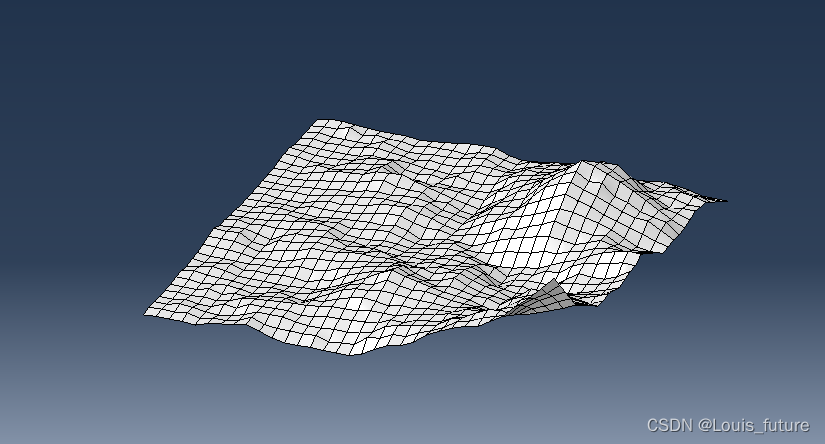
这样的表面不具备观赏性,我们通常需要对其进行 光 滑处理。
———————————————————— 解决 步骤———————————————————
下面是处理的步骤:
(1)点击 Part 模块的修复工具;
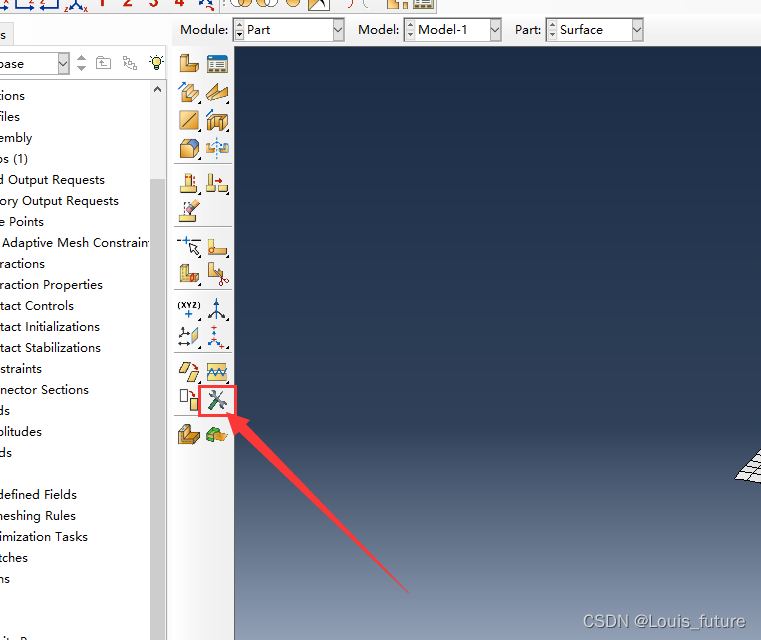
(2)选中face面操作,选择replace替换工具;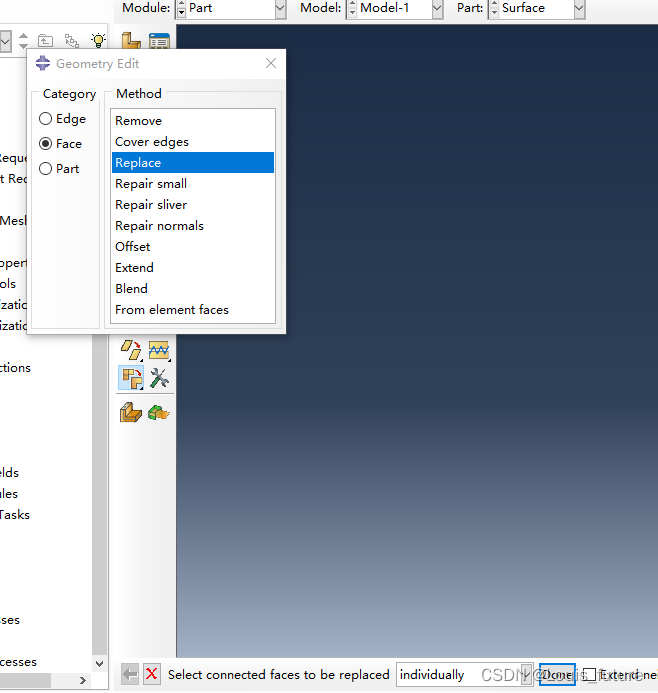
(3)选中需要光顺的面;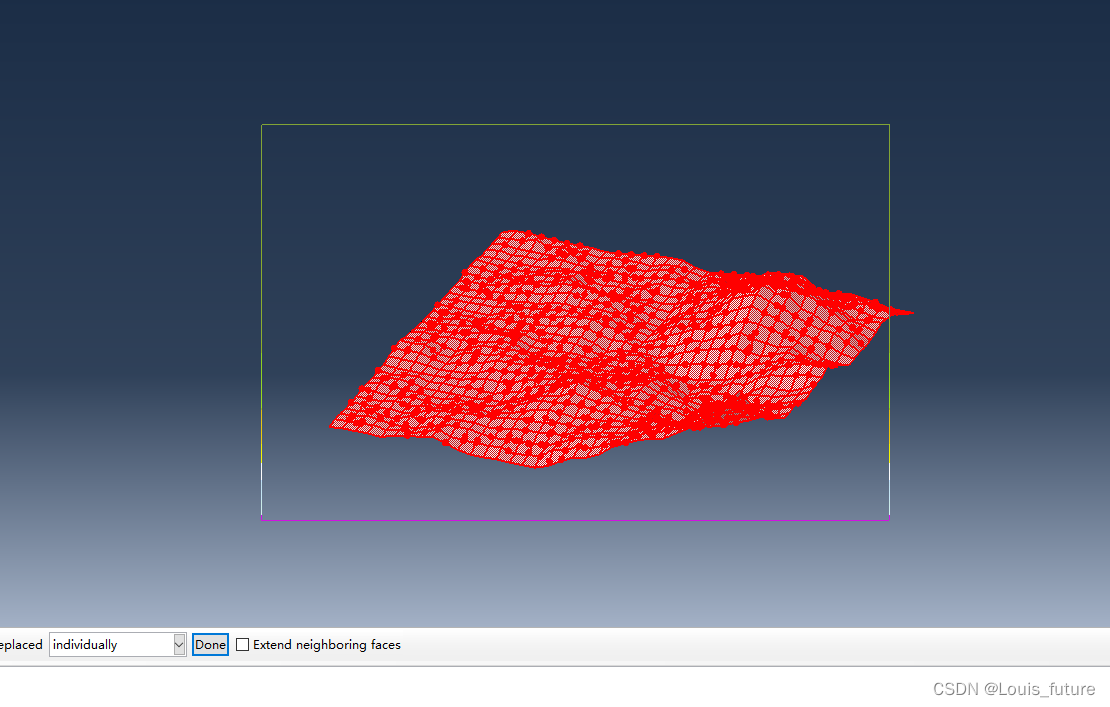
(4)单击鼠标中键,即可得到光滑后的表面。
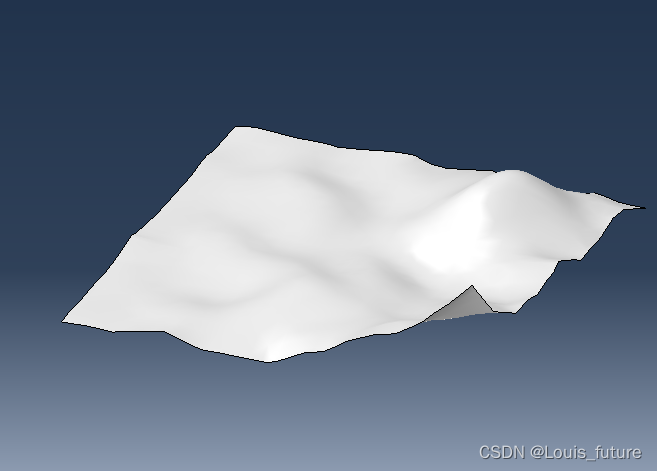
更新,1/7/2024。最近有很多朋友私信需要这个表面在abaqus中的建模 脚本 ,我就不一一回复了,直接在文章后面附上吧,如下:
# -*- coding:utf-8 -*-# @FileName :csdn.py# @Time :1/7/2024# @Author :Louis import numpy as npfrom abaqus import *from abaqusConstants import * def island_3D(kk, thegma_2, Hurst): """ :param kk: Number of iterations :param thegma_2: Variance at iteration :param Hurst: Hurst index :return: X, Y, Z For drawing in matplotlib """ n = 2 Z = np.random.normal(loc=0, scale=(thegma_2) ** 0.5, size=(2, 2)) for row in range(n): for col in range(n): if Z[row, col] < 0: Z[row, col] = 0 elif Z[row, col] > 0.3: Z[row, col] = 0.3 # iteration for k in range(1, kk + 1): n = 2 ** k + 1 Z_1 = np.zeros((n, n)) for row in range(n): for col in range(n): if row % 2 == 0 and col % 2 == 0: Z_1[row, col] = Z[int(row / 2.0), int(col / 2.0)] elif row % 2 == 0: # col is odd and row is even. average_col = (Z[int(row / 2.0), int(col / 2.0)] + Z[ int(row / 2.0), int(col / 2.0) + 1]) / 2.0 a = average_col + np.random.normal(loc=0, scale=( thegma_2 * (1 / 2.0) ** (2 * Hurst * k)) ** 0.5 ) if a >= 0: Z_1[row, col] = a else: Z_1[row, col] = 0 elif col % 2 == 0: # row is odd and col is even. average_col = (Z[int(row / 2.0) + 1, int(col / 2.0)] + Z[ int(row / 2.0), int(col / 2.0)]) / 2.0 a = average_col + np.random.normal(loc=0, scale=( thegma_2 * (1 / 2.0) ** (2.0 * Hurst * k)) ** 0.5 ) if a >= 0: Z_1[row, col] = a else: Z_1[row, col] = 0 else: average_col = (Z[int(row / 2.0), int(col / 2.0)] + Z[ int(row / 2.0), int(col / 2.0) + 1] + Z[int(row / 2.0) + 1, int(col / 2.0)] + Z[ int(row / 2.0) + 1, int( col / 2.0) + 1]) / 4.0 a = average_col + np.random.normal(loc=0, scale=( thegma_2 * (1 / 2.0) ** (Hurst * (2 * k - 1))) ** 0.5 ) if a >= 0: Z_1[row, col] = a else: Z_1[row, col] = 0 Z = Z_1 x = np.linspace(0, 1, n) X, Y = np.meshgrid(x, x) return X, Y, Z def Creat_Surface_in_Abaqus(X, Y, Z): """ :param X: (width, length) :param Y: (width, length) :param Z: (width, length) :return: None """ myMdb = Mdb() part = mdb.models['Model-1'].Part(name="Surface", dimensionality=THREE_D, type=DEFORMABLE_BODY) # create surface length, width = X.shape[1], X.shape[0] for i in range(width - 1): for j in range(length - 1): A = (X[i, j], Y[i, j], Z[i, j]) B = (X[i + 1, j], Y[i + 1, j], Z[i + 1, j]) C = (X[i + 1, j + 1], Y[i + 1, j + 1], Z[i + 1, j + 1]) D = (X[i, j + 1], Y[i, j + 1], Z[i, j + 1]) wire = part.WirePolyLine(mergeType=SEPARATE, meshable=ON, points=(A, B, C, D, A)) face_edge = part.getFeatureEdges(name=wire.name) part.CoverEdges(edgeList=face_edge, tryAnalytical=True) p = mdb.models['Model-1'].parts['Surface'] f = p.faces # smooth surface p.ReplaceFaces(faceList=f, stitch=True) if __name__ == "__main__": thegma = 0.2 # control magnitude, -0.5~0.5. Hurst = 1.3 # control roughness, 1~2.5. n = 4 # the number of iterations, 3~9 # create data X, Y, Z = island_3D(n, thegma, Hurst) # create surface Creat_Surface_in_Abaqus(X, Y, Z)具体参数,可以参见分形几何 教材 ,当然,代码中也附了一部分参数的常用取值。
免责声明:本文系网络转载或改编,未找到原创作者,版权归原作者所有。如涉及版权,请联系删
 技术文档
技术文档
 推荐好文
推荐好文





 155-2731-8020




