


软件

产品


每个游戏对象有且仅有一个 Transform 组件,Transform 组件保存了游戏对象的位置信息,用户可以通过操作 Transform 组件实现对游戏对象的平移、旋转、缩放等变换。每个 Script 组件需要继承 MonoBehaviour,MonoBehaviour 中有 Transform 属性。
如果读者对 MonoBehaviour 不太了解,可以参考→MonoBehaviour的生命周期。
1)获取当前游戏对象的 Transform 组件
- this.transform;
- gameObject.tramsform;
- GetComponent<Transform>();
- gameObject.GetComponent<Transform>();
2)获取其他游戏对象的 Transform 组件
- GameObject.Find("name").transform
- GameObject.FindGameObjectWithTag("tag").transform
- transform.FindChild("name");
3)Transform 中属性
- // 游戏对象
- gameObject
- // name 和 tag
- name、tag
- // 游戏对象的位置
- position、localPosition
- // 游戏对象的旋转角
- eulerAngles、localEulerAngles、rotation、localRotation
- // 游戏对象的缩放比
- localScale
- // 游戏对象的右方、上方、前方
- right、up、forward
- // 层级相关
- root、parent、hierarchyCount、childCount
- // 相机和灯光
- camera、light
- // 游戏对象的其他组件
- animation、audio、collider、renderer、rigidbody
说明:rotation 属性是一个四元数(Quaternion)对象,可以通过如下方式将向量转换为 Quaternion:
- Vector3 forward = new Vector3(1, 1, 1);
- Quaternion quaternion = Quaternion.LookRotation(forward);
4)Transform 中方法
- // 平移
- Translate(Vector3 translation)
- // 绕eulerAngles轴自转,自转角度等于eulerAngles的模长
- Rotate(Vector3 eulerAngles)
- // 绕过point点的axis方向的轴公转angle度
- RotateAround(Vector3 point, Vector3 axis, float angle)
- // 绕过point点的axis方向的轴公转angle度(坐标系采用本地坐标系)
- RotateAroundLocal(Vector3 point, Vector3 axis, float angle)
- // 看向transform组件的位置
- LookAt(transform)
- // 获取组件类型
- GetType()
- // 获取子游戏对象的Transform组件(不能获取孙子组件)
- FindChild("name")
- // 获取子游戏对象的Transform组件(可以获取孙子组件)
- Find("name")
- // 通过索引获取子游戏对象的Transform组件(不能获取孙子组件)
- GetChild(index)
- // 获取游戏对象的子对象个数
- GetChildCount()
- // 获取其他组件
- GetComponent<T>
- // 在子游戏对象中获取组件
- GetComponentsInChildren<T>()
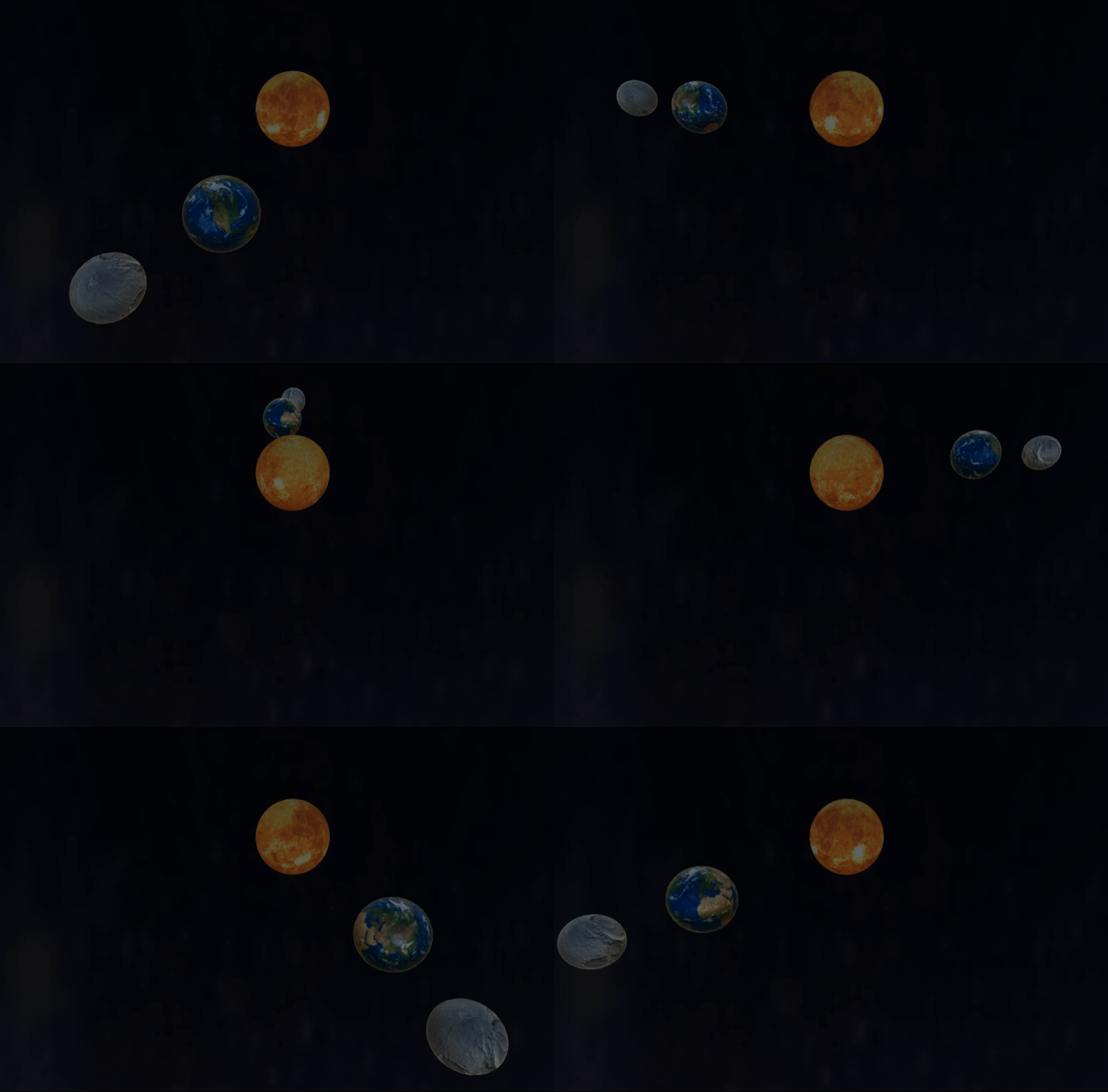
本节将使用 Transform 组件实现月球绕地球转、地球绕太阳转,同时太阳、地球、月球都在自转。
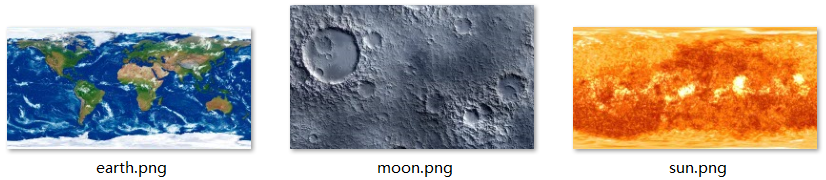
首先通过【GameObject→3D Object→Sphere】创建3个球,分别代表太阳、地球、月球,调整位置坐标分别为:(0, 0, 0)、(2, 0, 0)、(3, 0, 0),调整缩放系数分别为:1、0.7、0.5,再将如下 3 张图片拖至对应星球上。
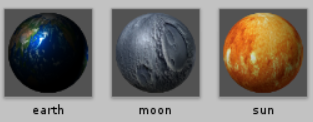
拖拽结束后,会生成 Materials 文件夹,里面有 3 个材质球,如下:
接着通过【GameObject→3D Object→Plane】创建 1 个 Plane 对象,重命名为 “bg”,在 Materials 文件夹里右键,选择【Create→Material】创建一个材质球,选中材质球,在 Inspector 窗口给材质球添加黑色,再将该材质球拖拽到 bg 游戏对象上。
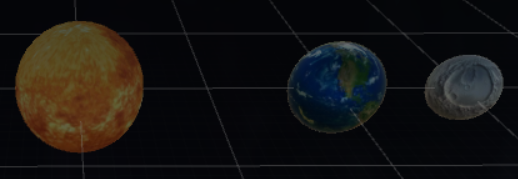
在 Assets 窗口右键,选择【Create→C# Script】创建 3 个 Script 组件,分别重命名为 Sun、Earth、Moon,将 3 个 Script 组件分别拖拽至对应星球上。
Sun.cs
- using UnityEngine;
-
- public class Sun : MonoBehaviour {
-
- void Start () {
- }
-
- void Update () {
- transform.Rotate(-2 * Vector3.up);
- }
- }
Earth.cs
- using UnityEngine;
-
- public class Earth : MonoBehaviour {
- private Transform center;
-
- void Start () {
- center = GameObject.FindGameObjectWithTag("Sun").transform;
- }
-
- void Update () {
- transform.RotateAround(center.position, -Vector3.up, 2);
- transform.Rotate(-4 * Vector3.up);
- }
- }
Moon.cs
- using UnityEngine;
-
- public class Moon : MonoBehaviour {
- private Transform center;
- private float theta = 0f;
-
- void Start () {
- center = GameObject.FindGameObjectWithTag("Earth").transform;
- }
-
- void Update () {
- theta = theta + 0.08f;
- transform.position = new Vector3(center.position.x + Mathf.Cos(theta), 0f, center.position.z + Mathf.Sin(theta));
- transform.Rotate(-3 * Vector3.up);
- }
- }
运行效果
武汉格发信息技术有限公司,格发许可优化管理系统可以帮你评估贵公司软件许可的真实需求,再低成本合规性管理软件许可,帮助贵司提高软件投资回报率,为软件采购、使用提供科学决策依据。支持的软件有: CAD,CAE,PDM,PLM,Catia,Ugnx, AutoCAD, Pro/E, Solidworks 等。
 技术文档
技术文档
 推荐好文
推荐好文





 155-2731-8020


.png)
.png)
.png)
.png)
.png)



