


软件

产品


为了有效监测驾驶员是否疲劳驾驶、避免交通事故的发生,提出了一种利用人脸特征点进行实时疲劳驾驶检测的新方法。对驾驶员驾驶时的面部图像进行实时监控,首先检测人脸,并利用ERT算法定位人脸特征点;然后根据人脸眼睛区域的特征点坐标信息计算眼睛纵横比EAR来描述眼睛张开程度,根据合适的EAR阈值可判断睁眼或闭眼状态;最后基于EAR实测值和EAR阈值对监控视频计算闭眼时间比例(PERCLOS)值度量驾驶员主观疲劳程度,将其与设定的疲劳度阈值进行比较即可判定是否疲劳驾驶。
人脸特征点检测基于该 类 库实现(https://github.com/610265158/Peppa_Pig_Face_Engine), 我尝试过很多开源框架,包括 dlib, openface,pfld,clnf 等,在闭眼检测方面,表现都不是十分理想,后来发现这个类库,哇,眼前一亮,检测的很牛逼,而且很稳定。在 i7 八代的 cpu 上,识别一帧大概平均在40ms左右( 因为项目主机上没有gpu ,所以没有测试过gpu的检测速度 ,但应该很快), 详细参考该作者文章:人脸关键点检测 face keypoint detect_小羊苏西的博客-CSDN博客_keypoint 检测, 写的真的很牛逼,不牛逼你找我。
在我的数据集上检测闭眼的效果图:

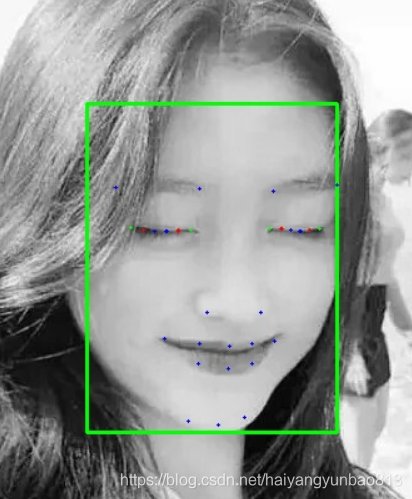
因为开源数据集中包含闭眼的数据太少了,所以需要我们自己手动增加 ,这里我使用的是 dlib 的标注工具。

1. 标注数据集 , 因为主要检测眼睛和头部姿态,所以我标注了37个点。(大概标注了5000多张)

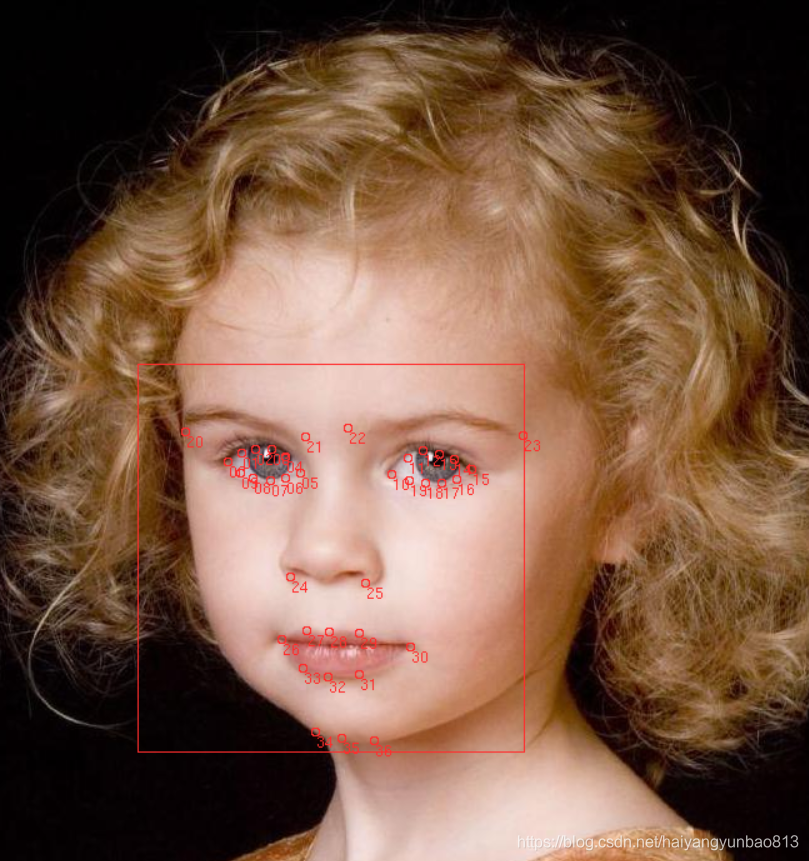
** 标注工具: (由于标注过程中经常出错,所以增加了撤销等功能)
2. 标注完成后,会生成一个xml文件,里面包含所有的标注信息 (最好检测下,不要标记少点或者多点情况),然后做下面操作
1. 打乱顺序
imglab --shuffle dataset_0402.xml2. 分隔数据集 ( 训练集 和 测试集 )
imglab --split-train-test 0.95 dataset_0402.xml3. 还可以 翻转数据集 、去除相似样本等操作
imglab --rmdupes xml/mydataset.xml ## 去除相似样本imglab --flip xml/mydataset.xml ## 翻转图片4. 更多详细操作参考: 【AI】dlib中图像标注工具 imglab 详细说明_郭老二-CSDN博客_imglab
3. 将训练集和测试集转换成作者提供的格式
import jsonfrom xml.dom.minidom import parsefrom tqdm import tqdm  def json_to_txt(json_file, txt_file):    txt_file = open(txt_file, mode='w')    with open(json_file, 'r') as f:        data = json.load(f)        tmp_str = ""        for sub_data in data:            file_name = sub_data['image_path']             tmp_str += file_name + '|'             key_points = sub_data['keypoints']             for points in key_points:                tmp_str = tmp_str + str(points[0]) + ' ' + str(points[1]) + ' '            tmp_str = tmp_str + '\n'         txt_file.write(tmp_str)  def read_xml_to_json(path, out_file_path):    domTree = parse(path)    # 文档根元素    rootNode = domTree.documentElement    images = rootNode.getElementsByTagName("image")    with open(out_file_path, 'w') as f:        train_json_list = []        for image in tqdm(images):            one_image_ann = {}            if image.hasAttribute("file"):                info = ""                # 文件路径                file_path = image.getAttribute("file")                print("path:" + file_path)                 one_image_ann['image_path'] = file_path                 box = image.getElementsByTagName("box")                 top = box[0].getAttribute("top")                left = box[0].getAttribute("left")                width = box[0].getAttribute("width")                height = box[0].getAttribute("height")                 print("top:" + top + " left:" + left + " width:" + width + " height:" + height)                bbox = [float(top), float(left), float(width), float(height)]                 parts = box[0].getElementsByTagName("part")                 if len(parts) == 0:                    continue                key = []                for part in parts:                    key.append([float(part.getAttribute("x")), float(part.getAttribute("y"))])                    print("x:" + part.getAttribute("x") + " y:" + part.getAttribute("y"))                 one_image_ann['keypoints'] = key                one_image_ann['bbox'] = bbox                one_image_ann['attr'] = None                 train_json_list.append(one_image_ann)         json.dump(train_json_list, f, indent=2)  def read_xml_to_txt(path, out_txt_file_path):    domTree =
免责声明:本文系网络转载或改编,未找到原创作者,版权归原作者所有。如涉及版权,请联系删
 技术文档
技术文档
 推荐好文
推荐好文





 155-2731-8020




