


软件

产品

UVM( Universal Verification Methodology),是一个标准化的用于验证设计的方法学。其正式版是在2011年2月由Accellera推出的, 得到了Sysnopsys、 Mentor和Cadence 的支持。 UVM几乎完全继承了OVM, 同时又采纳了Synopsys在VMM中的寄存器解决方案RAL。 同时, UVM还吸收了VMM中的一些优秀的实现方式。 可以说, UVM继承了VMM和OVM的优点, 克服了各自的缺点, 代表了验证方法学的发展方向。
新建hello.sv文件,编写代码如下所示
`timescale 1ns/1ps

`include "uvm_macros.svh"
import uvm_pkg::*;

class hello_test extends uvm_test;
    `uvm_component_utils(hello_test)

    function new(string name = "hello_test", uvm_component parent = null);
        super.new(name, parent);
        `uvm_info("hello_test", "new is called", UVM_LOW);
    endfunction

    virtual task main_phase(uvm_phase phase);
        phase.raise_objection(this);
        `uvm_info("hello_test", "main_phase is called", UVM_LOW);
        #100;
        `uvm_info("hello_test", "main_phase is finish", UVM_LOW);
        phase.drop_objection(this);
    endtask

endclass


module tb;

    initial begin;
        run_test("hello_test");
    end

endmodule
使用如下命令进行编译,-ntb_opts uvm-1.2选项表示要引入 UVM1.2 的包,当然也可以选择使用1.0或1.1版本的,但是要注意这个选项不可缺少
vcs -full64 -sverilog -ntb_opts uvm-1.2 -timescale=1ns/1ps hello.sv
编译结果如下所示,没有报错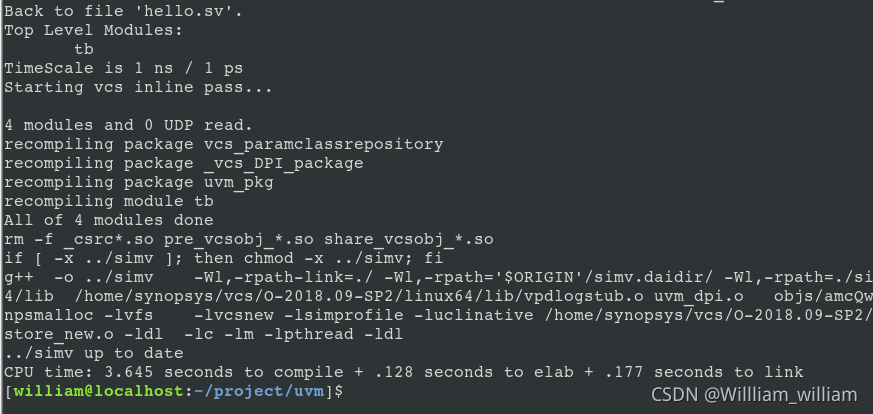
然后进行仿真运行
./simv
运行结果如下所示,可以看到,UVM的版本为1.2,我们想要的打印 信息 都有了,同时也在最后报告了仿真时间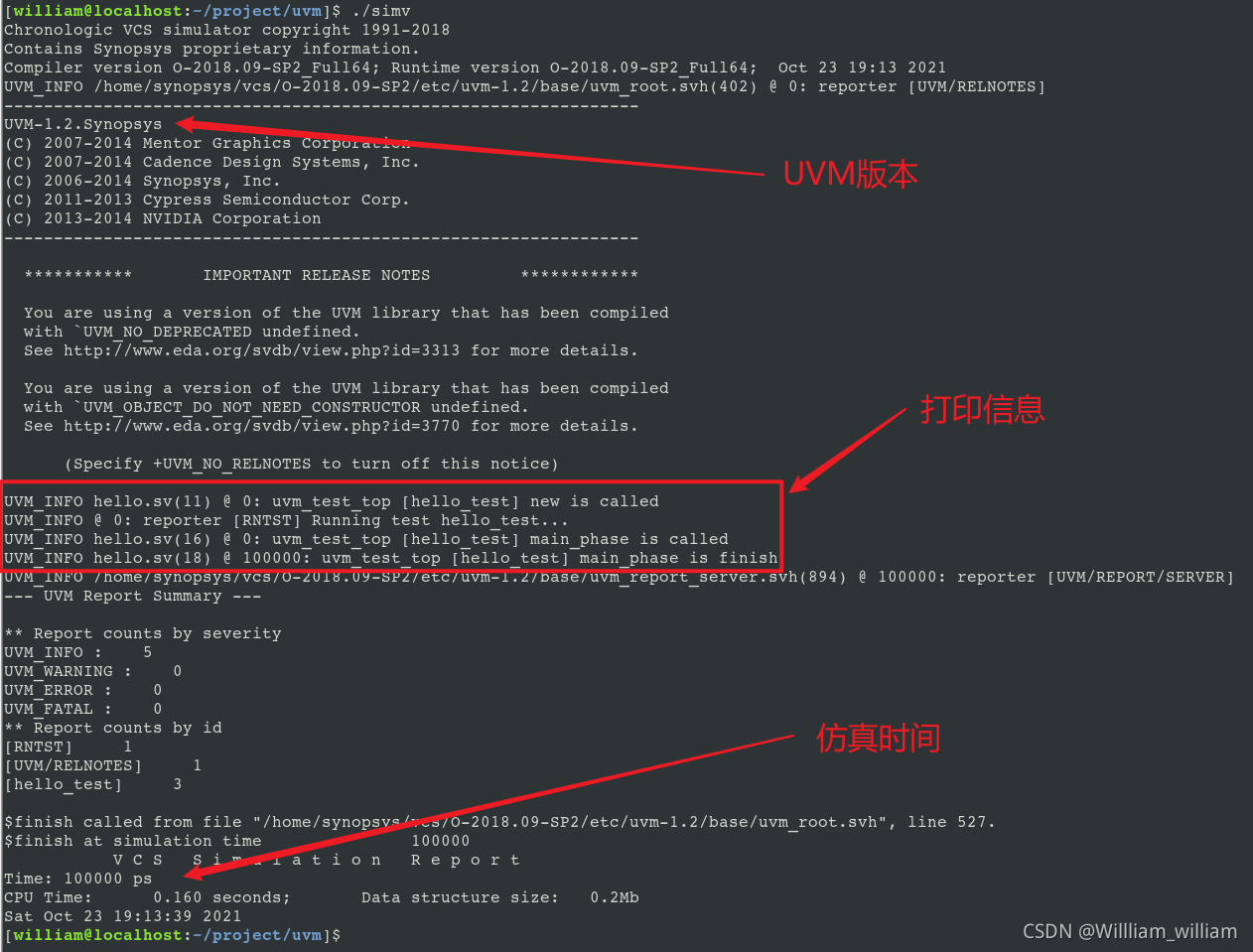
我们可以使用VSCode来更好地做开发,关于VSCode环境的建立参考:
在Win10上使用SSH远程连接Linux搭建VSCode开发环境
https://blog.csdn.net/qq_38113006/article/details/105569857
搭建好后我们可以在插件中搜索systemverilog来安装对sv和uvm语法支持的插件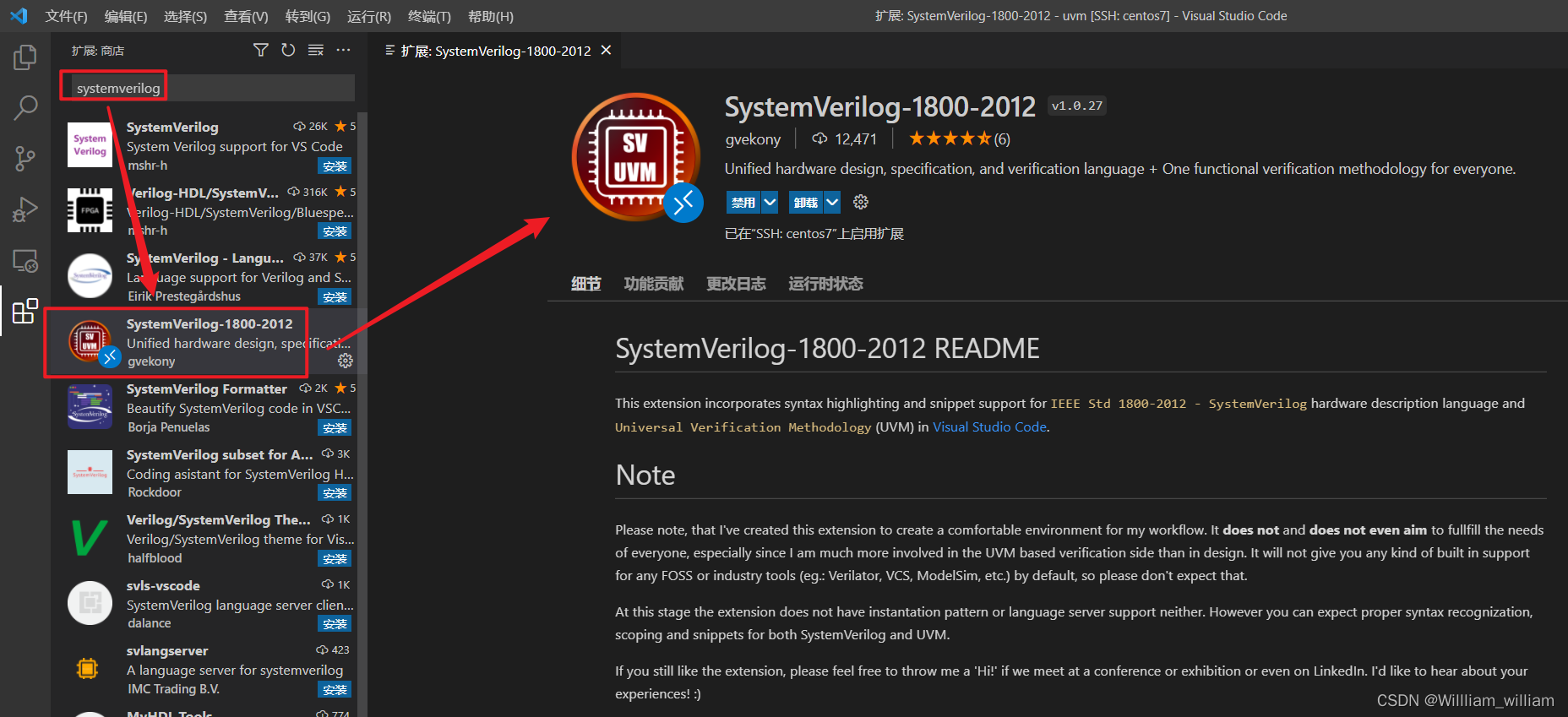
添加语法高亮后可以看到如下所示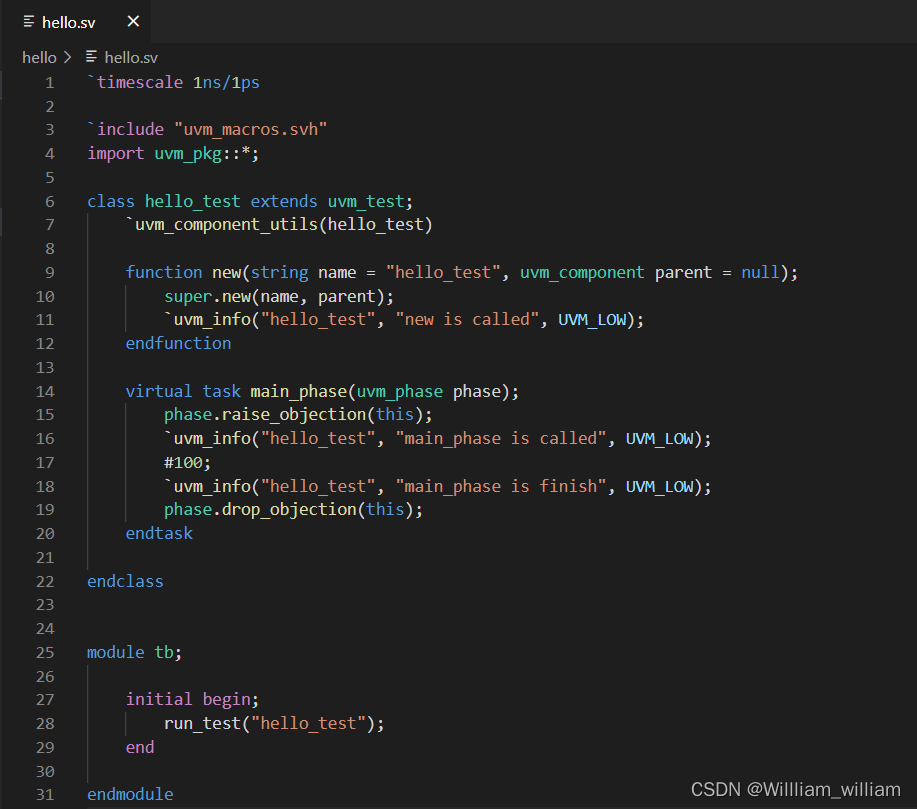
然后我们也也可以编写Makefile来帮助编译运行,如下所示
#---------------------------------------------------------------------------
# files options
#---------------------------------------------------------------------------
DFILES  +=
VFILES  += hello.sv


#---------------------------------------------------------------------------
# tool options
#---------------------------------------------------------------------------
TOOL_CMD	= vcs -full64
COMP_OPT	= -sverilog -debug_access+all -lca -kdb -fsdb +define+FSDB -timescale=1ns/1ps
UVM_OPT		= -ntb_opts uvm-1.1

comp:
	$(TOOL_CMD) $(COMP_OPT) $(UVM_OPT) $(DFILES) $(VFILES)

run:
	./simv +UVM_NO_RELNOTES

rung:
	./simv +UVM_NO_RELNOTES -gui=verdi

verdi:
	verdi tb.fsdb

clean:
	rm -rf csrc simv simv.daidir *.fsdb novas.* ucli.key
	rm -rf *.log* *.vpd *.h urgReport verdiLog
运行结果如下所示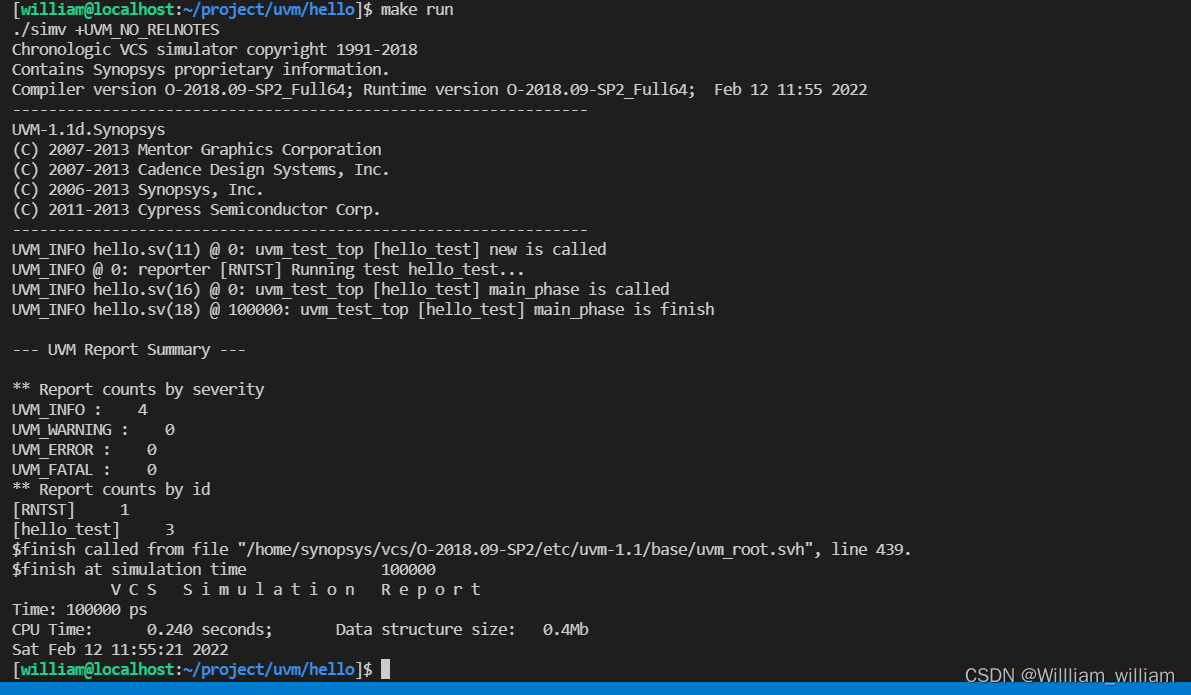
免责声明:本文系网络转载或改编,未找到原创作者,版权归原作者所有。如涉及版权,请联系删
 技术文档
技术文档
 推荐好文
推荐好文





 155-2731-8020