


软件

产品


1.导入pom 依赖
<!-- mybatis--> <dependency> <groupId>org.mybatis.spring.boot</groupId> <artifactId>mybatis-spring-boot-starter</artifactId> <version>1.3.1</version> </dependency> <!--mysql依赖--> <dependency> <groupId>mysql</groupId> <artifactId>mysql-connector-java</artifactId> </dependency> <dependency> <groupId>org.apache.commons</groupId> <artifactId>commons-dbcp2</artifactId> <version>2.5.0</version> </dependency><!-- 引入fluent-mybatis 运行依赖包, scope为compile --> <dependency> <groupId>com.github.atool</groupId> <artifactId>fluent-mybatis</artifactId> <version>1.6.8</version> </dependency> <!-- 引入fluent-mybatis-processor, scope设置为provider 编译需要,运行时不需要 --> <dependency> <groupId>com.github.atool</groupId> <artifactId>fluent-mybatis-processor</artifactId> <version>1.6.8</version> </dependency>2. 配置 数据库连接
spring.datasource.url= jdbc:mysql://localhost:3306/test?useUnicode=true&characterEncoding=UTF-8&serverTimezone=UTCspring.datasource.username=rootspring.datasource.password=root3.创建数据库表
CREATE TABLE `student` ( `id` bigint(20) unsigned NOT NULL AUTO_INCREMENT, `name` varchar(20) DEFAULT NULL, `age` int(11) DEFAULT NULL, PRIMARY KEY (`id`)) ENGINE=InnoDB DEFAULT CHARSET=utf8 COMMENT='学生表';4.创建Student 实体类 ,
①实体类添加 @FluentMybatis
②实现 IEntity 接口
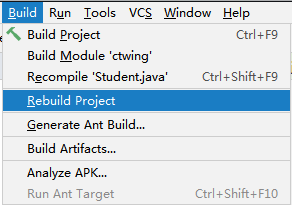
@FluentMybatis@Data@NoArgsConstructorpublic class Student implements IEntity { private Long id; private String name; private Integer age;}5.重新构建项目
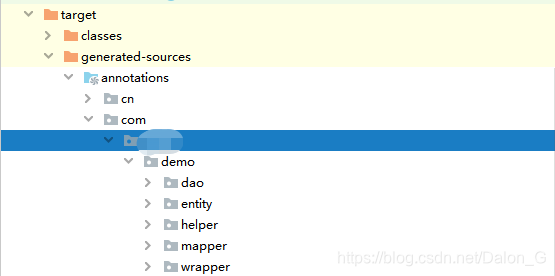
构建完成后,target目录下就会新建几个文件夹
6. 测试
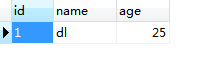
@Autowired private StudentMapper studentMapper; // target目录下 @RequestMapping("insert") public void insert(){ Student student = new Student(); student.setName("dl"); student.setAge(25); studentMapper.insert(student); }数据库已插入
************************************
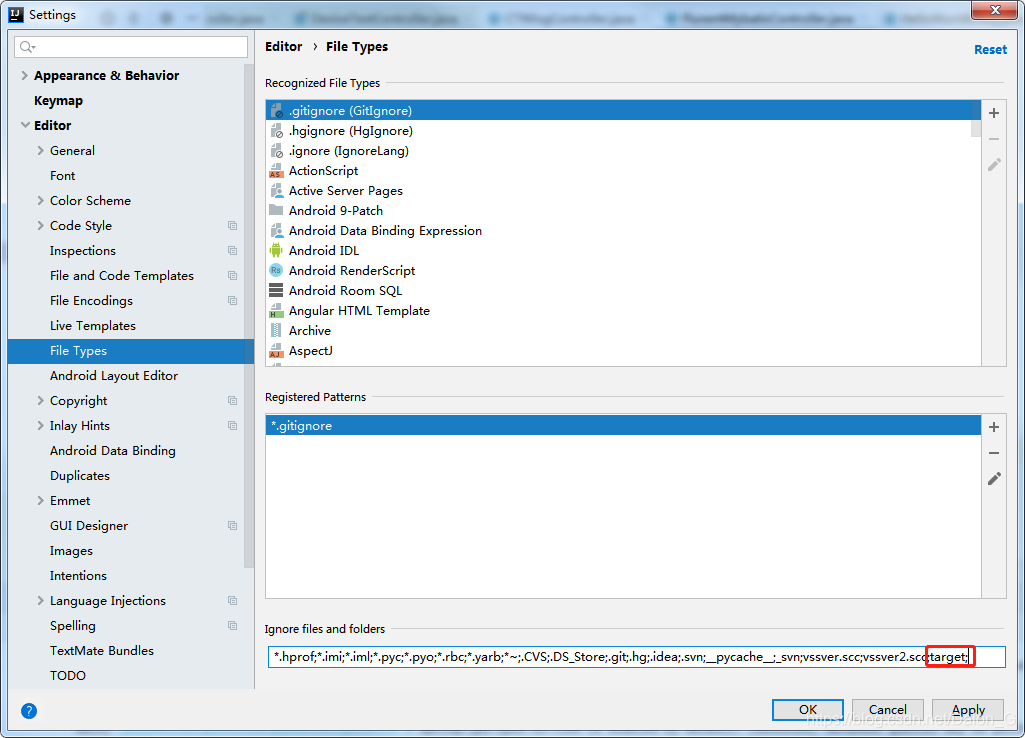
如果出现Mapper文件找不到路径的异常,很可能是在之前idea中将target文件隐藏了,只需
File --> setting --> File Types 将忽视的target文件删掉就可以了
免责声明:本文系网络转载或改编,未找到原创作者,版权归原作者所有。如涉及版权,请联系删
 技术文档
技术文档
 推荐好文
推荐好文





 155-2731-8020




