


软件

产品


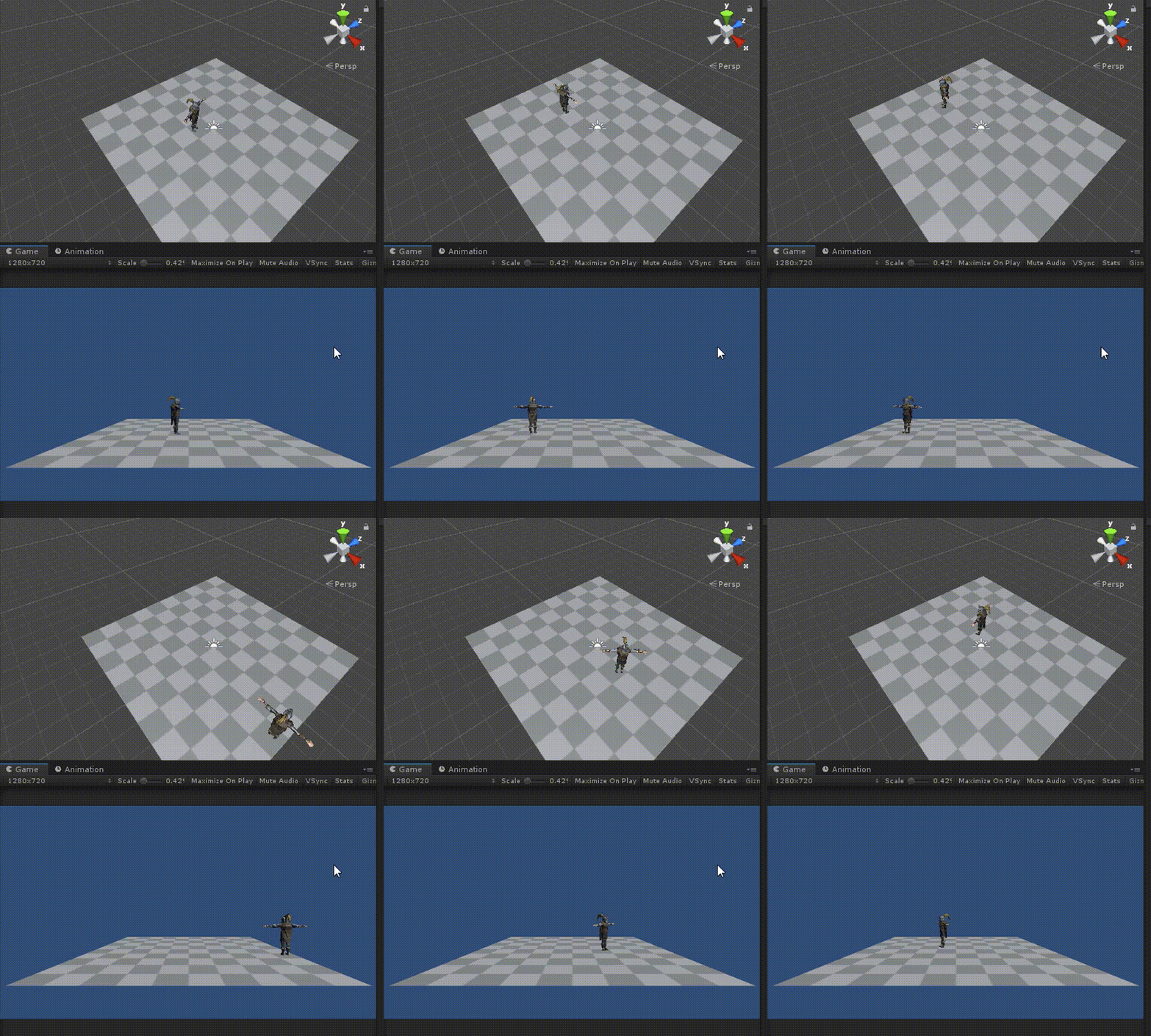
Unity版本:2019.2.3f1
目录
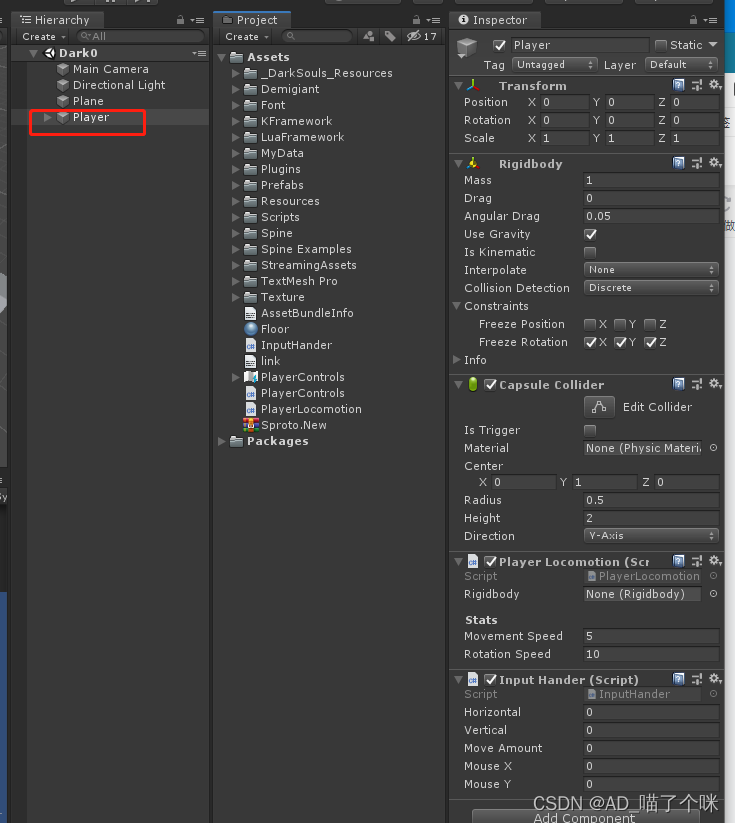
1:创建InputHander.cs脚本 挂载到Player物体上 获取键盘输入WADS
2.创建PlayerLocomotion.cs挂载到Player物体上,控制物体移动转向
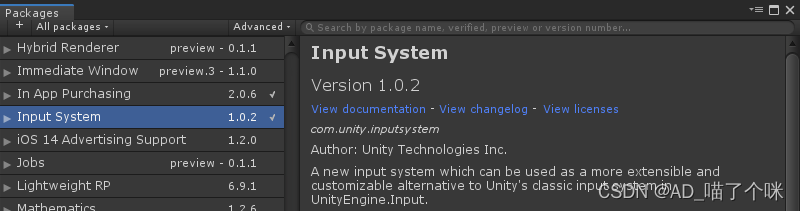
菜单栏/Window/Package Manager/Input System
工程面板内 右键-->创建Input Actions 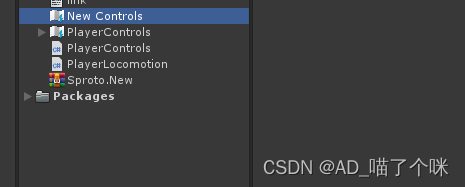
选中New Controls改名为PlayerControls 然后属性 面板按下Edit asset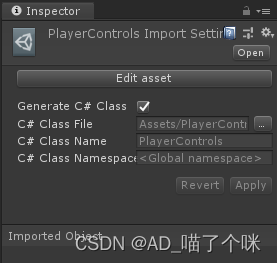
Action Maps添加:PlayerMovement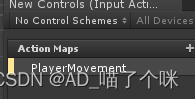
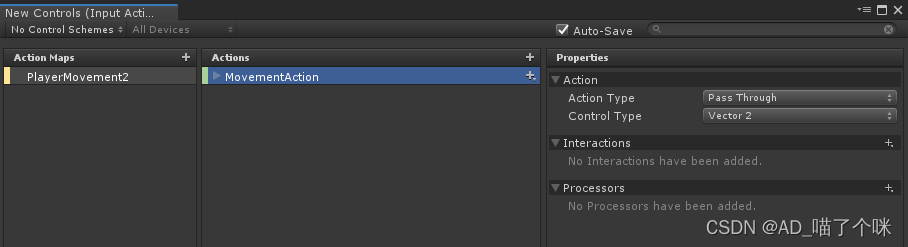
Actions添加:New action 改名为MovementAction
Properties项 修改ActionType=Pass Through
修改ControlType= Vector2
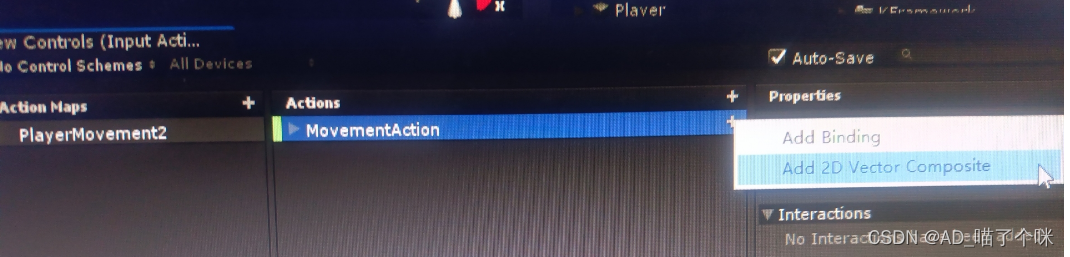
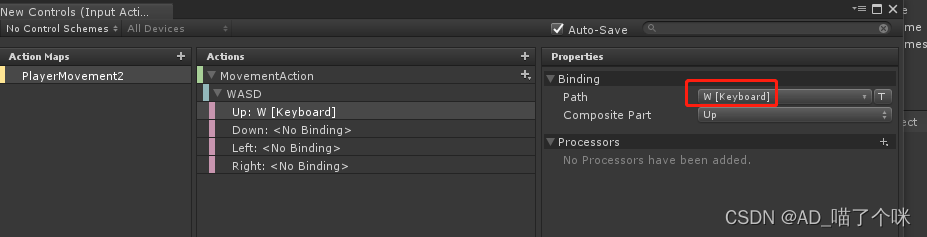
在MovementAction项点击+号 选择Add 2D Vector Composite
生成WASD
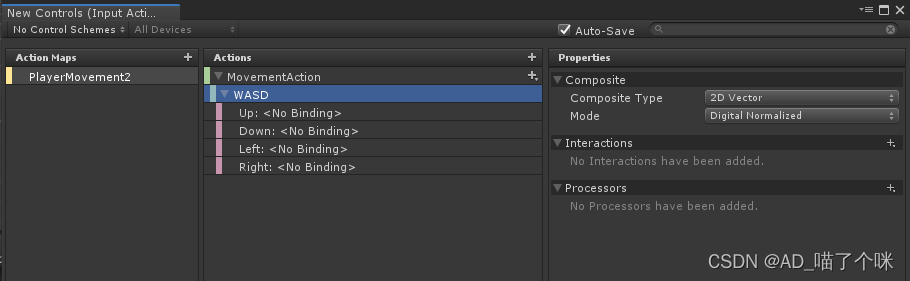
绑定Up、Down、Left、Right,如此 类 推
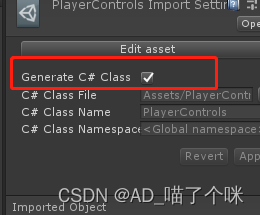
回到PlayerControls属性面板 勾选Generate C# Class[*]
工程面板就生成了一份 PlayerControls.cs 脚本,先不管它 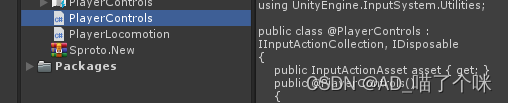
然后创建2个脚本挂到Player物体上
- using System.Collections;
- using System.Collections.Generic;
- using UnityEngine;
-
- public class InputHander : MonoBehaviour
- {
-
- public float horizontal;
- public float vertical;
- public float moveAmount;
- public float mouseX;
- public float mouseY;
-
- PlayerControls inputActions;//声明 InputSystem的脚本对象
- Vector2 movementInput;//存储 WASD输入的值
-
- public void OnEnable()
- {
- //获取设备上的输入
- if (inputActions == null)
- {
- inputActions = new PlayerControls();
- //绑定输入的值
- inputActions.PlayerMovement.MovementAction.performed += outputActions => movementInput = outputActions.ReadValue<Vector2>();
- }
-
- inputActions.Enable();//启用
- }
-
- public void OnDisable()
- {
- inputActions.Disable();//禁用
- }
-
-
- public void TickInputt(float delta)
- {
- MoveInput(delta);
- }
-
- public void MoveInput(float delta) {
-
- horizontal = movementInput.x;
- vertical = movementInput.y;
- moveAmount = Mathf.Clamp01(Mathf.Abs(horizontal) + Mathf.Abs(vertical));
- }
-
- }
- using System.Collections;
- using System.Collections.Generic;
- using UnityEngine;
-
- public class PlayerLocomotion : MonoBehaviour
- {
-
- InputHander inputHander;
- Vector3 moveDirection;
-
- public CapsuleCollider capsuleCollider;
- public new Rigidbody rigidbody;
- Vector2 movementInput;//存储 WASD输入的值
- Transform cameraObject;
-
- [HideInInspector]
- public Transform myTransform;
-
- [Header("Stats")]
- [SerializeField]
- float movementSpeed = 5;
- [SerializeField]
- float rotationSpeed = 10;
-
-
-
- // Start is called before the first frame update
- void Start()
- {
- rigidbody = GetComponent<Rigidbody>();
- if (rigidbody==null)
- {
- rigidbody = gameObject.AddComponent<Rigidbody>();
- rigidbody.constraints = RigidbodyConstraints.FreezeRotation;
-
- }
- capsuleCollider = GetComponent<CapsuleCollider>();
- if (capsuleCollider==null)
- {
- capsuleCollider = gameObject.AddComponent<CapsuleCollider>();
- capsuleCollider.center = new Vector3(0, 1, 0);
- capsuleCollider.radius = 0.5f;
- capsuleCollider.height = 2;
- capsuleCollider.direction = 1;
- }
-
- inputHander = GetComponent<InputHander>();
- cameraObject = Camera.main.transform;
- myTransform = transform;
- }
-
- // Update is called once per frame
- void Update()
- {
- float delta = Time.deltaTime;
- inputHander.TickInputt(delta);
-
- moveDirection = cameraObject.forward * inputHander.vertical;
- moveDirection += cameraObject.right * inputHander.horizontal;
- moveDirection.Normalize();
-
- float speed = movementSpeed;
- moveDirection *= speed;
-
- //移动
- Vector3 projectedVelocity = Vector3.ProjectOnPlane(moveDirection, new Vector3(0, 0, 0));
- rigidbody.velocity = projectedVelocity;
-
- HandleRotation(delta);
- }
-
- //转向
- private void HandleRotation(float delta) {
-
- Vector3 targerDir = Vector3.zero;
-
- targerDir = cameraObject.forward * inputHander.vertical;
- targerDir += cameraObject.right * inputHander.horizontal;
-
- targerDir.Normalize();
- targerDir.y = 0;
-
- if (targerDir == Vector3.zero)
- {
- targerDir = myTransform.forward;
- }
-
- Quaternion tr = Quaternion.LookRotation(targerDir);
- Quaternion targetRotation = Quaternion.Slerp(myTransform.rotation, tr, rotationSpeed * delta);
-
- myTransform.rotation = targetRotation;
-
- }
- }
完成
武汉格发信息技术有限公司,格发许可优化管理系统可以帮你评估贵公司软件许可的真实需求,再低成本合规性管理软件许可,帮助贵司提高软件投资回报率,为软件采购、使用提供科学决策依据。支持的软件有: CAD,CAE,PDM,PLM,Catia,Ugnx, AutoCAD, Pro/E, Solidworks 等。
 技术文档
技术文档
 推荐好文
推荐好文





 155-2731-8020




