


软件

产品


按照readme。。。txt中的步骤进行即可,如下:
1. Install FieldView 15.0 Win64
2. Copy folder "data" to <FieldView 15.0 progdir> (by defaut C:\Program Files\Intelligent Light\FVWIN15\ ) and overwrite original one
3. Run (as Administrator) <FieldView 15.0 progdir>\data\server_install.bat and wait until new service "ILIGHT Flexnet Licence Server" will be installed and started
4. REBOOT computer
5. Enjoy
导入模型:
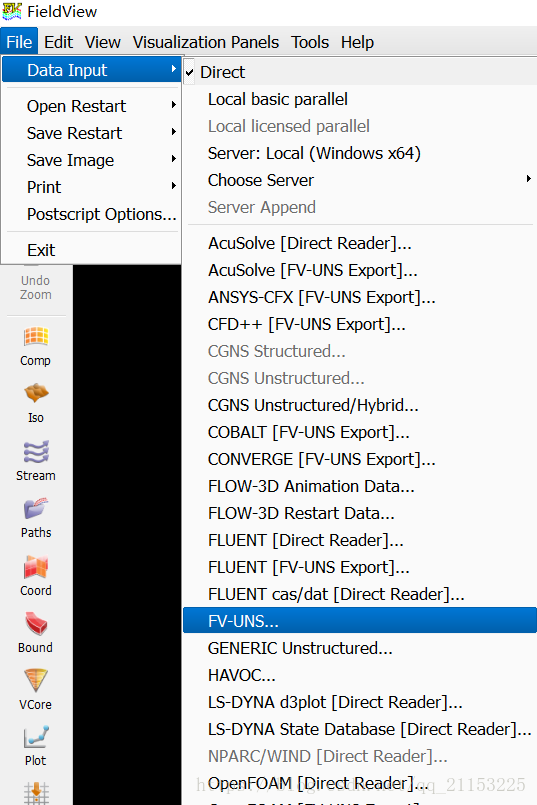
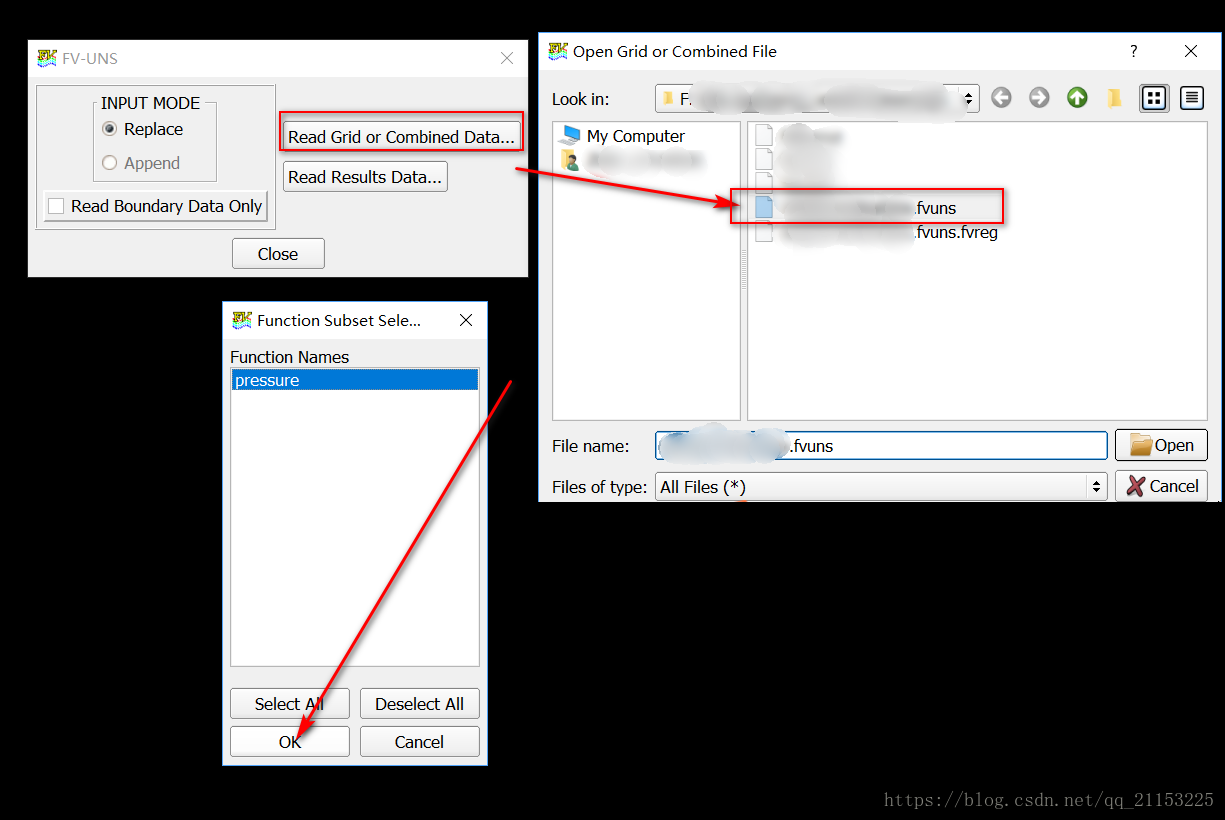
点击左侧Bound,在出现的面板中选择Create
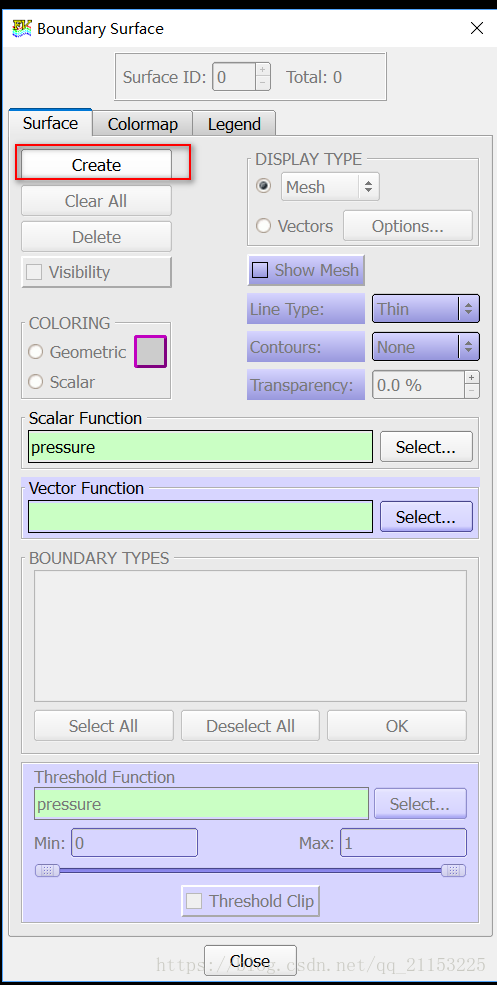
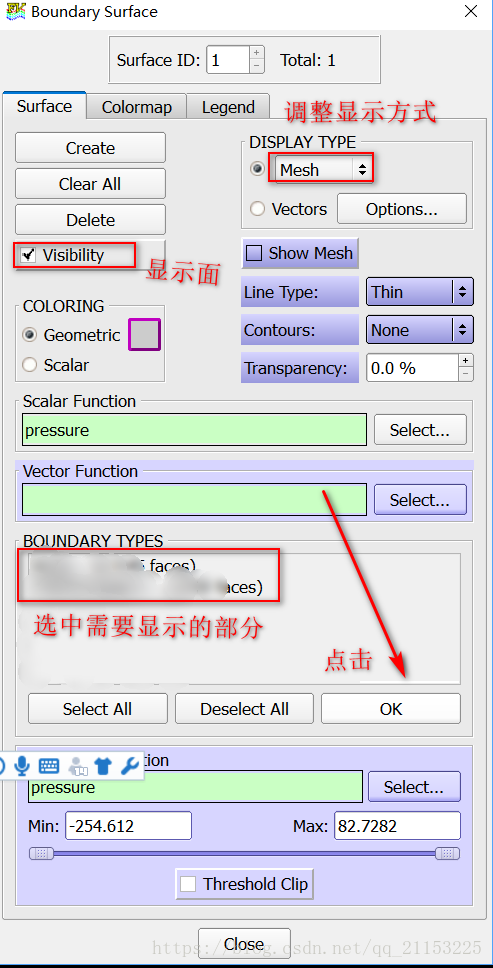
完成上述步骤即显示出导入的模型
安装时,把系统时间调整成2005年,win10需要将 安装包 以window xp兼容模式打开,安装后的exe以 vista 兼容性打开
补充:一定要在右上角关闭软件,在运行时不要关闭 控制台 ,否则无法再次打开软件
目前只是初步了解,后续继续深入更新
免责声明:本文系网络转载或改编,未找到原创作者,版权归原作者所有。如涉及版权,请联系删
 技术文档
技术文档
 推荐好文
推荐好文





 155-2731-8020




