


软件

产品


环境:Win10, x64, VS2015,NX12
记录日期:2020/10/15
注意事项:
生成的exe 文件运行时依赖于NXBIN下的dll文件,无法直接运行,一种解决办法是
另外一种方法就是通过bat设置环境变量 (推荐),如下图所示:
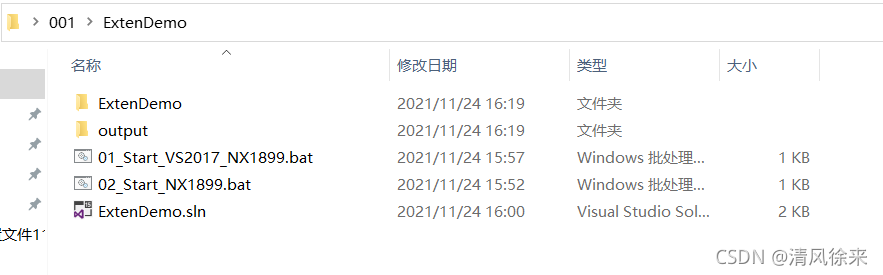
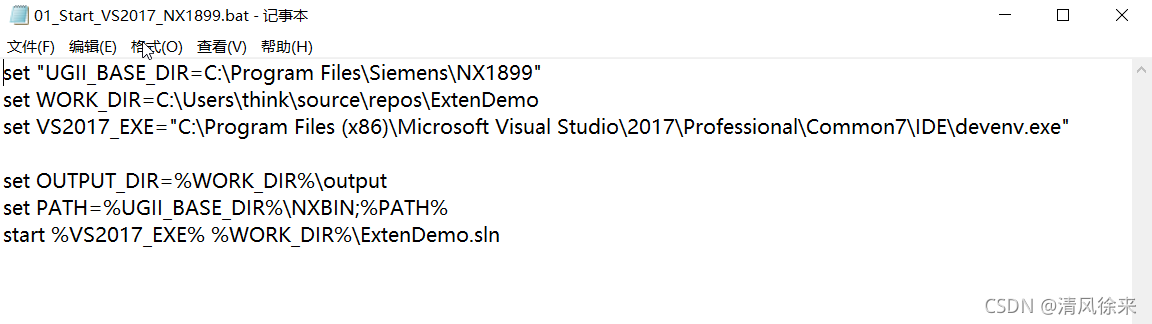
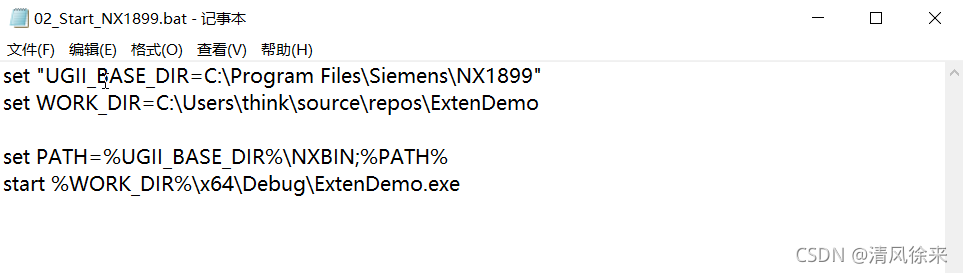
01_Start_VS2017_NX1899.bat 启动编译环境,编译调试运行
02_Start_NX1899.bat 直接运行exe 程序
通过环境变量的好处就是不需要把exe拷贝到 NX 路径下,简单方便。
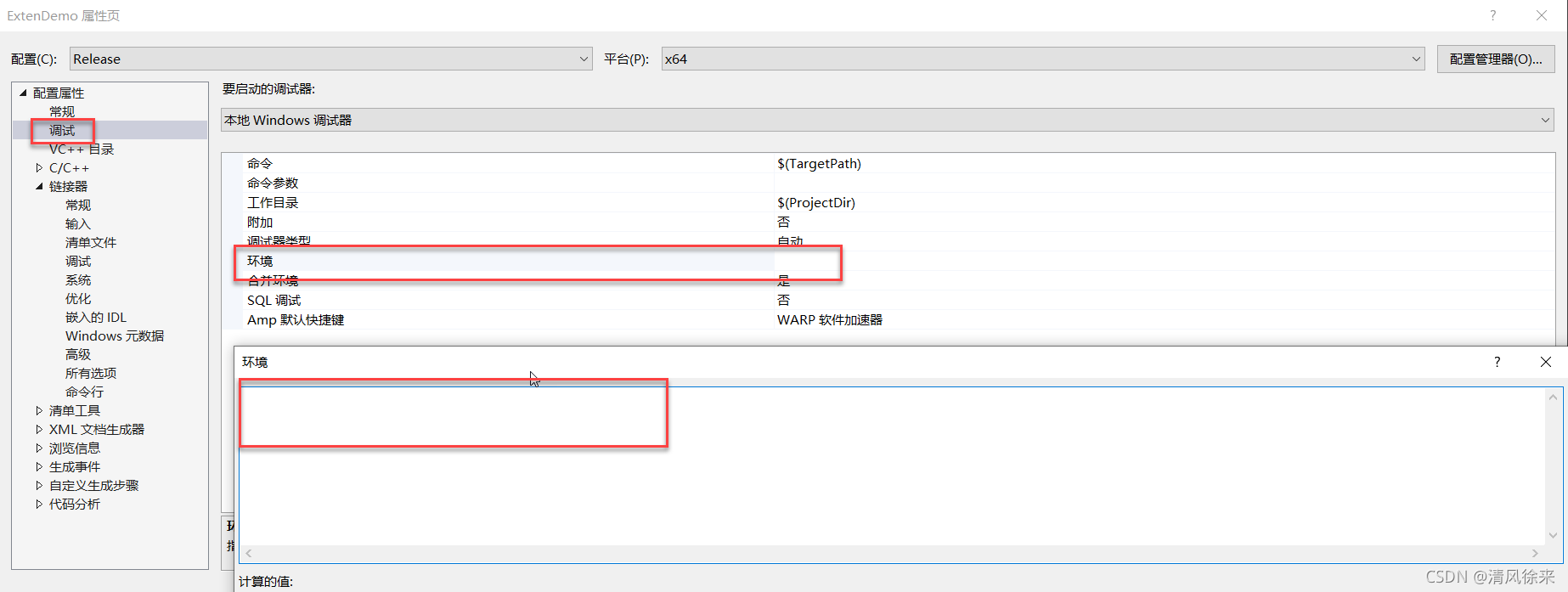
需要注意的是:bat文件设置环境变量和 VS项目属性设置环境变量是不等价的,
VS项目属性设置环境变量 无法正常调用NX API !!!!!!
代码:
//ExtenDemo // Mandatory UF Includes#include <uf.h>#include <uf_object_types.h>#include <uf_part.h>#include <uf_cfi.h> // Internal+External Includes#include <NXOpen/Annotations.hxx>#include <NXOpen/Assemblies_Component.hxx>#include <NXOpen/Assemblies_ComponentAssembly.hxx>#include <NXOpen/Body.hxx>#include <NXOpen/BodyCollection.hxx>#include <NXOpen/Face.hxx>#include <NXOpen/Line.hxx>#include <NXOpen/NXException.hxx>#include <NXOpen/NXObject.hxx>#include <NXOpen/Part.hxx>#include <NXOpen/PartCollection.hxx>#include <NXOpen/Session.hxx> // Std C++ Includes#include <iostream>#include <sstream>#include <time.h>#include <fstream>#include <strstream>#include <iostream> using std::string;using std::exception;using std::stringstream;using std::endl;using std::cout;using std::cerr;using namespace std;using namespace NXOpen; //------------------------------------------------------------------------------// Entry point for unmanaged external NXOpen C/C++ programs//------------------------------------------------------------------------------int main(int argc, char* argv[]){ UF_initialize(); std::cout << "Input Param List:" << std::endl; for (int i = 0; i < argc; ++i) { std::cout << argv[i] << std::endl; } //Test UF UF_PART_load_status_t errorStatus; tag_t part = NULL_TAG; std::string partFilePath = "https://www.gofarlic.com\\002.prt"; UF_PART_open(partFilePath.c_str(), &part, &errorStatus); UF_PART_free_load_status(&errorStatus); //Test NXOpen tag_t workPart = Session::GetSession()->Parts()->Work()->Tag(); UF_PART_close_all(); UF_terminate(); std::cout << "Program End !" << std::endl; system("PAUSE");}
免责声明:本文系网络转载或改编,未找到原创作者,版权归原作者所有。如涉及版权,请联系删
 技术文档
技术文档
 推荐好文
推荐好文





 155-2731-8020




