


软件

产品


ONLINE: http://www.wolframalpha.com/
GPL: segamath: http://www.sagemath.org/
famous and not free:
mathematica: http://www.wolfram.com/mathematica/?source=nav
matlab: https://cn.mathworks.com/products/matlab.html
来自网络的评价: mathematica很学院很严谨很漂亮. matlab很实用很强大很工程但是不优美. 好比lisp与C的区别.
GUN:
https://www.gnu.org/software/octave/
兼容matlab语法.
秉持着少走弯路(GUN/GPL总是bug比较多的--!!!), 不怕盗版( whatever no free ), 好看最重要. 的三个原则.
首选 mathematica 来做入门尝试, 而且比较上学的时候学过. 当然学过也等于没学过......
https://wiki.archlinux.org/index.php/Mathematica
安装:
/home/tong [tong@T7] [10:24]
> yaourt -S mathematica
这样装是不好使的.
1.
到AUR下载下来 PKGBUILD文件, 打开看会发现需要一个Mathematica_11.2.0_LINUX.sh的安装脚本.
https://aur.archlinux.org/packages/mathematica/
2.
到官方网站注册帐号, 可以申请下载免费的试用版本, 也就是那个.sh, 共4.5GB
https://www.wolfram.com/mathematica/trial/
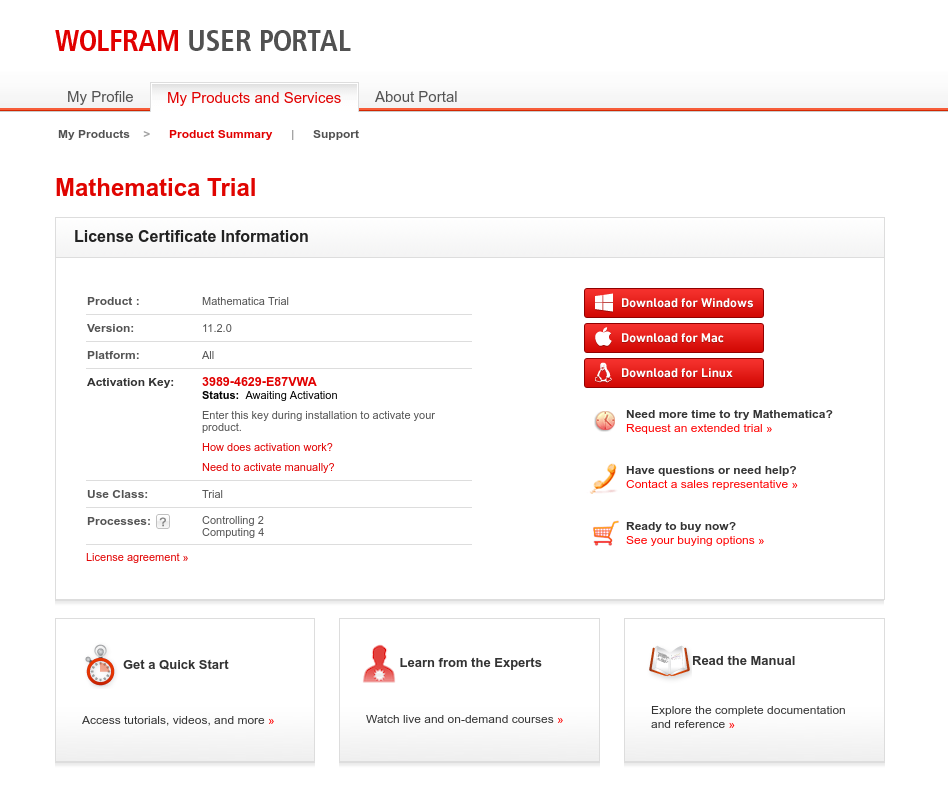
3. 安装
还是yaourt, 把PKGBUILD改一改, 让他找到sh脚本, 不再赘述.
之后, 定然安装成功.
方法二: 手动安装 (实际上是因为我PKGBUILD没改对, 所以没成功....)
/home/tong/makepkg/mathematica [tong@T7] [11:48]
>wget https://aur.archlinux.org/cgit/aur.git/snapshot/mathematica.tar.gz
/home/tong/makepkg/mathematica [tong@T7] [11:48]
> ln -s ../../Software/Mathematica_11.2.0/Mathematica_11.2.0_LINUX.sh Mathematica_11.2.0_LINUX.sh
/home/tong/makepkg/mathematica [tong@T7] [11:48]
> makepkg
作为之后, 会在当前目录生成安装包:
/home/tong/makepkg/mathematica [tong@T7] [11:52]
> ls
mathematica-11.2.0-1-x86_64.pkg.tar  Mathematica_11.2.0_LINUX.sh  pkg  PKGBUILD  src
用pacman安装, 竟然有8个G这么大...
/home/tong/makepkg/mathematica [tong@T7] [11:54]
> sudo pacman -U mathematica-11.2.0-1-x86_64.pkg.tar
loading packages...
resolving dependencies...
looking for conflicting packages...

Packages (1) mathematica-11.2.0-1

Total Installed Size:  8116.28 MiB
至此, 安装成功:
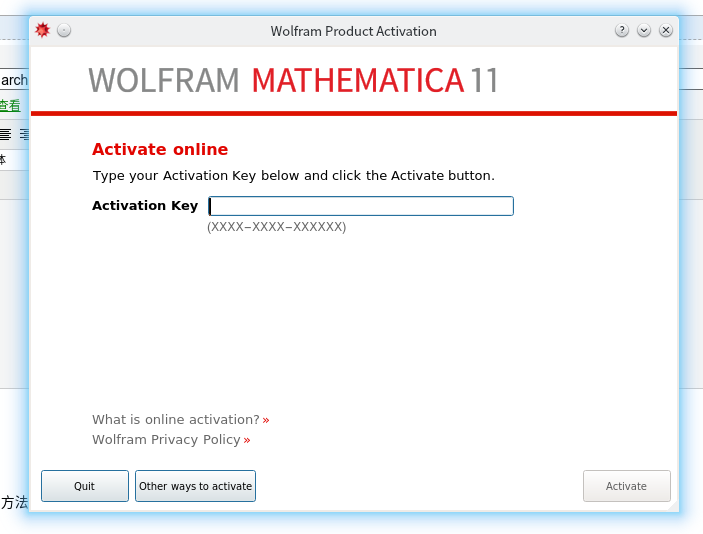
进入下一步, 激活....
4. 破解, 当然我希望大家都去支持正版.... (捂脸)
简单的说, 就是用个windows下的注册机, 拿到注册码, 就可以了, 方法如下:
如此好的教程, 怒转 https://tiebamma.github.io/InstallTutorial/
http://tieba.baidu.com/p/4024190694
第一次执行 mathematica 之后会要求系列码, 这时点击左下角的 "使用其他方式激活" -> "手动激活", 这是能看见一排数字 "MathID"
将它们输入到keygen中, 会产生 activation key 和 password.
输入到mathematica中, 即完成激活.
最后, 免费赠送一篇, 入门教程.
http://www.guokr.com/post/568105/
-------------------------------------- 更新两个问题 --------------------------------
1. 安装过程中, 根目录下新建了一个文件夹 'Wolfram Mathematica'
这很丑, 放在这个地方, 那么怎么改了它呢. 首先他是由xdg决定的.
Mathematica 11 automatically creates a document folder 'Wolfram Mathematica' in $UserDocumentsDirectory, which is set by Mathematica according to XDG user directories.再看xdg, 有一个工具包可以自动设置,xdg-user-dirs , 安装它
/home/tong [tong@T7] [18:09]
> sudo pacman -S xdg-user-dirs
运行之后, 产生如下效果:
/home/tong [tong@T7] [18:18]
> xdg-user-dirs-update

/home/tong [tong@T7] [18:18]
> cat .config/user-dirs.dirs
# This file is written by xdg-user-dirs-update
# If you want to change or add directories, just edit the line you're
# interested in. All local changes will be retained on the next run
# Format is XDG_xxx_DIR="$HOME/yyy", where yyy is a shell-escaped
# homedir-relative path, or XDG_xxx_DIR="/yyy", where /yyy is an
# absolute path. No other format is supported.
#
XDG_DESKTOP_DIR="$HOME/Desktop"
XDG_DOWNLOAD_DIR="$HOME/Downloads"
XDG_TEMPLATES_DIR="$HOME/Templates"
XDG_PUBLICSHARE_DIR="$HOME/Public"
XDG_DOCUMENTS_DIR="$HOME/Documents"
XDG_MUSIC_DIR="$HOME/Music"
XDG_PICTURES_DIR="$HOME/Pictures"
XDG_VIDEOS_DIR="$HOME/Videos"
2. fcitx输入法不能使用, 也就是说不能输入中文.
fixed @2017-11-08
转载于:https://www.cnblogs.com/hugetong/p/7722216.html
免责声明:本文系网络转载或改编,未找到原创作者,版权归原作者所有。如涉及版权,请联系删
 技术文档
技术文档
 推荐好文
推荐好文





 155-2731-8020




