


软件

产品


为了避免kmeans得到局部最优解,最好使用随机种子,这里指定聚类中心只适用于特殊情况 如:需要确定的聚类结果等吐槽一下,Mathmatica果然社区还是没有MATLAB完善啊,这个问题我在MATLAB能搜到但是Mathmatica搜不到,当然也有这个问题太简单的原因 😛
首先上结论,使用Method -> {"KMeans", "InitialCentroids" -> {{0, 4}, {3, 3}}来指定初始聚类中心,相关内容文档有,不过就一行我没注意 😦
下面是简单的 实验 -----是否指定初始聚类中心造成的结果变化(没什么内容,没必要看)
使用Kmeans 欧几里得距离 聚类上限10 不指定初始聚类中心 进行聚类
point = {{3, 1}, {3, 2}, {4, 1}, {4, 2}, {1, 3}, {1, 4}, {2, 3}, {2,
    4}};
l1 = FindClusters[point, 10, Method -> {"KMeans"},
  DistanceFunction -> EuclideanDistance]
ListPlot[l1, PlotTheme -> "Detailed", PlotStyle -> PointSize[Large]]
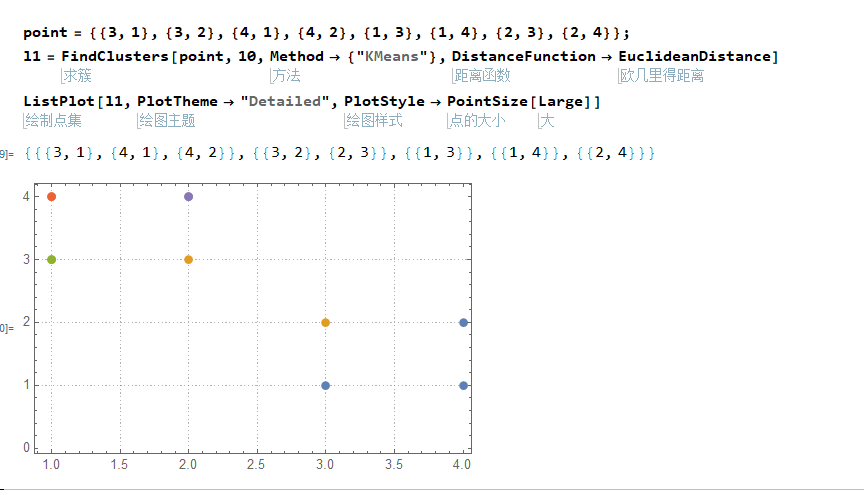
可以发现,整整聚类出了5个结果,显然不是我们想要的效果,那么下面指定初始聚类中心使用Method -> {"KMeans", "InitialCentroids" -> {{0, 4}, {3, 3}}来指定初始聚类中心
l2 = FindClusters[point, 10,
  Method -> {"KMeans", "InitialCentroids" -> {{0, 4}, {3, 3}}},
  DistanceFunction -> EuclideanDistance]
ListPlot[l2, PlotTheme -> "Detailed", PlotStyle -> PointSize[Large]]
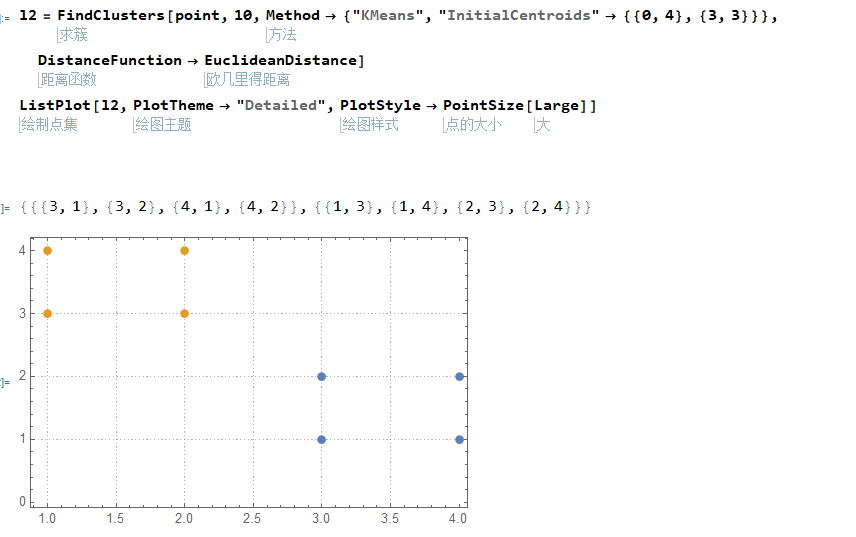
聚出两类,符合预期效果
Pick[list,sel]Pick[list,sel,patt]//选取True
Pick[{{3, 1}, {3, 2}, {4, 1}, {4, 2}, {1, 3}, {1, 4}, {2, 3}, {2,
4}}, {True, True, True, True, False, False, True, True}]
//选取指定数据
Pick[{{3, 1}, {3, 2}, {4, 1}, {4, 2}, {1, 3}, {1, 4}, {2, 3}, {2,
4}}, {True, True, True, True, False, False, True, True}, False]
Thread[f[args]] Thread[f[args],h] Thread[f[args],h,n] tmp1
tmp2
bool = Thread[tmp1 > tmp2]
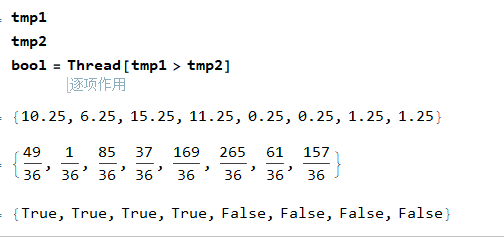
答案 借鉴自stackexchange
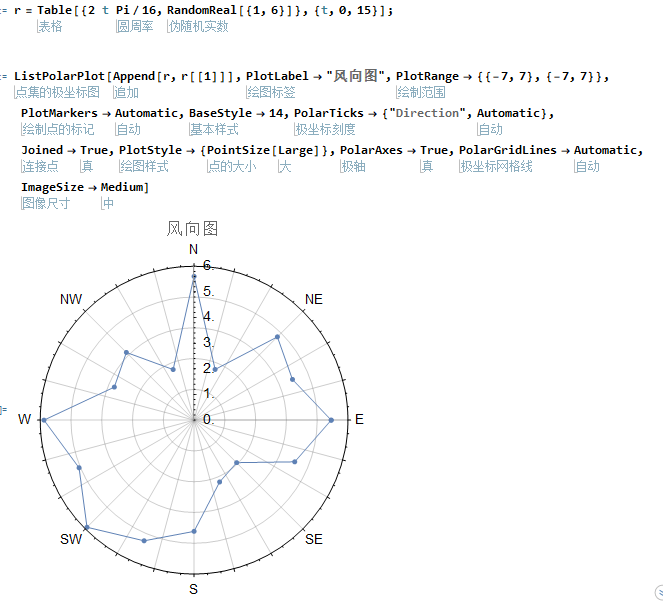
 r = Table[{2 t Pi/16, RandomReal[{1, 6}]}, {t, 0, 15}];

ListPolarPlot[Append[r, r[[1]]], PlotLabel -> "风向图",
 PlotRange -> {{-7, 7}, {-7, 7}}, PlotMarkers -> Automatic,
 BaseStyle -> 14, PolarTicks -> {"Direction", Automatic},
 Joined -> True, PlotStyle -> {PointSize[Large]}, PolarAxes -> True,
 PolarGridLines -> Automatic, ImageSize -> Large]
免责声明:本文系网络转载或改编,未找到原创作者,版权归原作者所有。如涉及版权,请联系删
 技术文档
技术文档
 推荐好文
推荐好文





 155-2731-8020




