


软件

产品


安装方法参考:(安装包一搜就能找到)
https://jingyan.baidu.com/article/6dad507551c9c0a123e36eb8.html
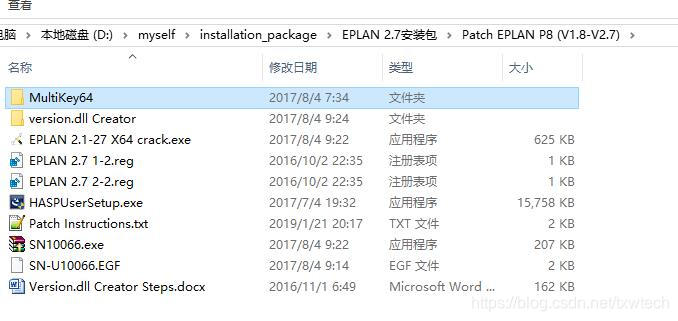
此步很关键:(一般默认HASPUserSetup.exe是2016年的,只有在安装包的文件里面搜索,即可找到修改日期是2017的exe文件)
(4.HASPUserSetup.exe(修改日期是2017的可用,安装时间较长,请耐心等待-txwtech).)
WIN 7 X64 Patch Instructions:
1: Install the software EPLAN series.
2: Turn off the antivirus software, turn off the UAC system, this isnot really necessary, but you need to allow the system/antivirus alerts.
3: Run as administrator HASPUserSetup.exe.
4: Run as administrator EPLAN 2.1-2.7 X64 crack.exe
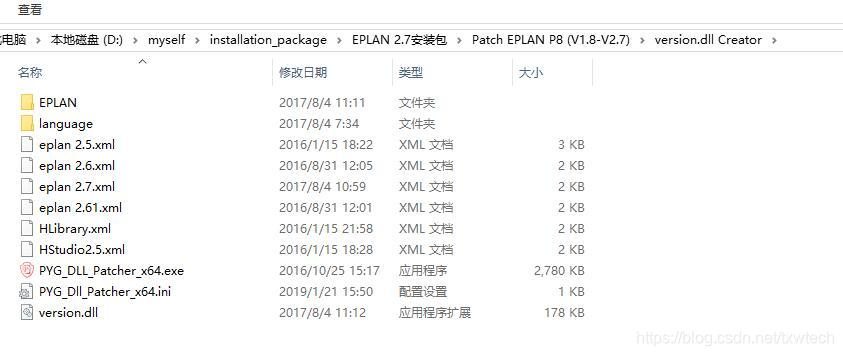
5: Use the version.dll creator
6: Copy version.dll to: C:\Program Files\EPLAN\Platform\2.7.3\Bin. Solve the lags problem.
7: Reboot.
WIN 10 X64 Patch Instructions:
1: Install the software EPLAN series.
2: Copy the license file SN-U10066.EGF to folder C:\User\Public\Eplan\Common\
3: Turn off the antivirus software, turn off the UAC system, this isnot really necessary, but you need to allow the system/antivirus alerts.
4: Run as administrator HASPUserSetup.exe(修改日期是2017的可用,安装时间较长,请耐心等待-txwtech).
5: run as administrator EPLAN 2.1-2.7 X64 crack.exe
6: Add to registry EPLAN 2.7 1-2.reg and EPLAN 2.7 2-2.reg
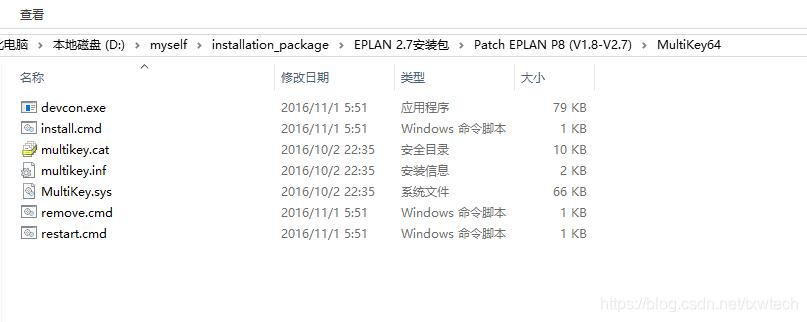
7: Start a command console with administrator rights and run install.cmd that you can find in MultiKey64.
(搜索栏,收入cmd,右键选择管理员运行。如下:加密狗驱动即可安装成功)
Microsoft Windows [版本 10.0.17134.523]
(c) 2018 Microsoft Corporation。保留所有权利。
C:\Windows\system32>d:
https://www.gofarlic.com\>cd https://www.gofarlic.com\myself\installation_package\EPLAN 2.7安装包\Patch EPLAN P8 (V1.8-V2.7)\MultiKey64
https://www.gofarlic.com\myself\installation_package\EPLAN 2.7安装包\Patch EPLAN P8 (V1.8-V2.7)\MultiKey64>install.cmd
If you don't want to use the install.cmd just copy multikey.cat , multikey.inf , MultiKey.sys to C:\Windows\System32
And update the Driver of virtual usb in Device Manager.
8: Use the version.dll creator
9: Copy version.dll to: C:\Program Files\EPLAN\Platform\2.7.3\Bin. Solve the lags problem.
10: Reboot.
免责声明:本文系网络转载或改编,未找到原创作者,版权归原作者所有。如涉及版权,请联系删
 技术文档
技术文档
 推荐好文
推荐好文





 155-2731-8020




