


软件

产品


在正确安装CATIA之后即可在项目中引用CATIA COM类库,其类库名称均以CATIA V5开头。在引用为类库后,我们即可进行 开发 工作。
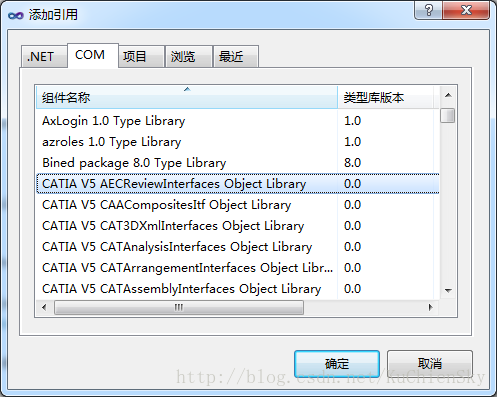
该示例演示了如何连接CATIA,并生成一个新的Product。
using INFITF;using MECMOD;using PARTITF;using ProductStructureTypeLib;using SPATypeLib;using NavigatorTypeLib; namespace CATIATest{    class Program    {        static void Main(string[] args)        {            // 连接CATIA            Application Catia =(Application)System.Runtime.InteropServices.Marshal.GetActiveObject("Catia.Application");            // 获取当前活动ProductDocument            ProductDocument pd = (ProductDocument)Catia.ActiveDocument;            // 创建一个ID为newProduct的Product            pd.Product.Products.AddNewProduct("newProduct");        }    }}

注意】在调试之前请确保CATIA已经运行,否则无法连接到CATIA,程序无法运行。
public void AddNewComponent(string filePath) { object[] files = new object[1] { filePath }; this.ActiveProductDocument.Product.Products.AddComponentsFromFiles(files, "All"); }
// 向当前Product中添加一个指定长度的圆柱体 public void CreateCylinder(string name, double length) { // 添加一个新零件 Product product = this.ActiveProductDocument.Product.Products.AddNewComponent("Part", name); // 绘制圆 Part part = ((PartDocument)this._catia.Documents.Item(name + ".CATPart")).Part; Sketch sketch = (part.Bodies.GetItem("零件几何体") as Body).Sketches.Add( (Reference)part.OriginElements.PlaneXY); sketch.SetAbsoluteAxisData(new object[] { 0, 0, 0, 1, 0, 0, 0, 1, 0 }); part.InWorkObject = sketch; Factory2D factory = sketch.OpenEdition(); Axis2D axis = (Axis2D)sketch.GeometricElements.GetItem("绝对轴"); (axis.GetItem("横向") as Line2D).ReportName = 1; (axis.GetItem("纵向") as Line2D).ReportName = 2; Circle2D circle = factory.CreateClosedCircle(0, 0, 5); circle.CenterPoint = (Point2D)axis.GetItem("原点"); circle.ReportName = 3; sketch.CloseEdition(); part.Update(); // 绘制圆柱 (part.ShapeFactory as ShapeFactory).AddNewPad(sketch, length); part.Update(); }
// 根据产品名称获取指定Product public Product GetProduct(string productId) { return (Product)this.ActiveProductDocument.Product.Products.GetItem(productId); }
protected void RemoveProduct(Product product) { Selection selection = this.ActiveProductDocument.Selection; selection.Clear(); selection.Add(product); selection.Delete(); } // 检测两个产品间是否存在冲突 public bool ConflictCheck(Product product1, Product product2) { Groups groups = this.ActiveProductDocument.Product.GetTechnologicalObject("Groups") as Groups; Group first = groups.Add(); Group second = groups.Add(); first.AddExplicit(product1); second.AddExplicit(product2); Clash clash = (this.ActiveProductDocument.Product.GetTechnologicalObject("Clashes") as Clashes).Add(); clash.ComputationType = CatClashComputationType.catClashComputationTypeBetweenTwo; clash.InterferenceType = CatClashInterferenceType.catClashInterferenceTypeContact; clash.FirstGroup = first; clash.SecondGroup = second; clash.Compute(); Conflicts conflicts = clash.Conflicts; groups.Remove(first.get_Name()); groups.Remove(second.get_Name()); return conflicts.Count != 0; }
protected void AdapteAllView() { this._catia.ActiveWindow.ActiveViewer.Reframe(); }一般来说,对于CATIA中能够手工解决的问题均应能够通过编程的方式处理,我们可以通过以下三种途径获取编程帮助以及Sample。
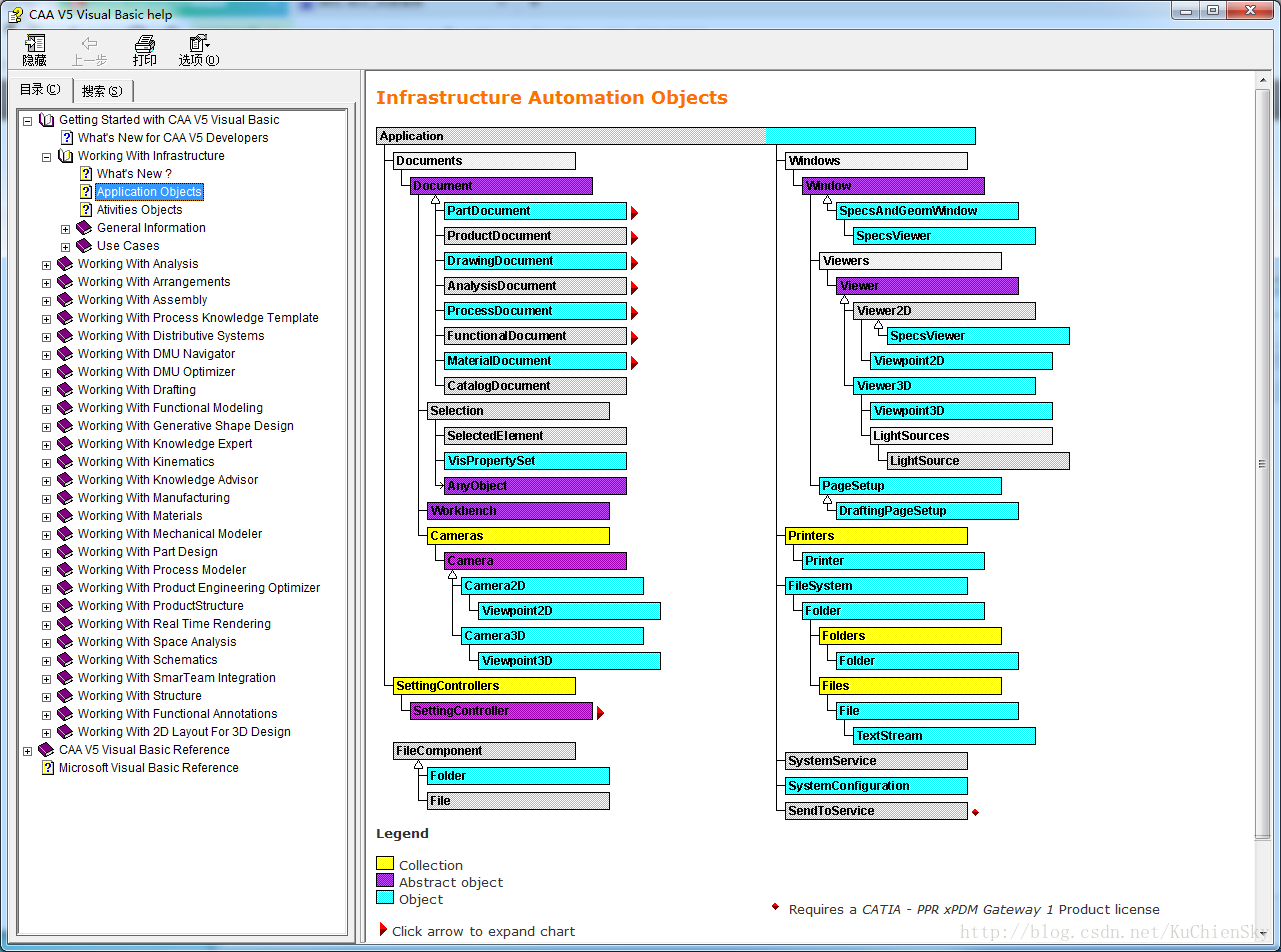
方式一:在安装好CATIA后,再其安装目录中%Install Root%\Dassault Systemes\B20\intel_a\code\bin中已经包含了V5 Automation API .chm帮助文档。该文档中包含了全部的可用API及类继承结构,同时提供了丰富的代码示例供读者参考。
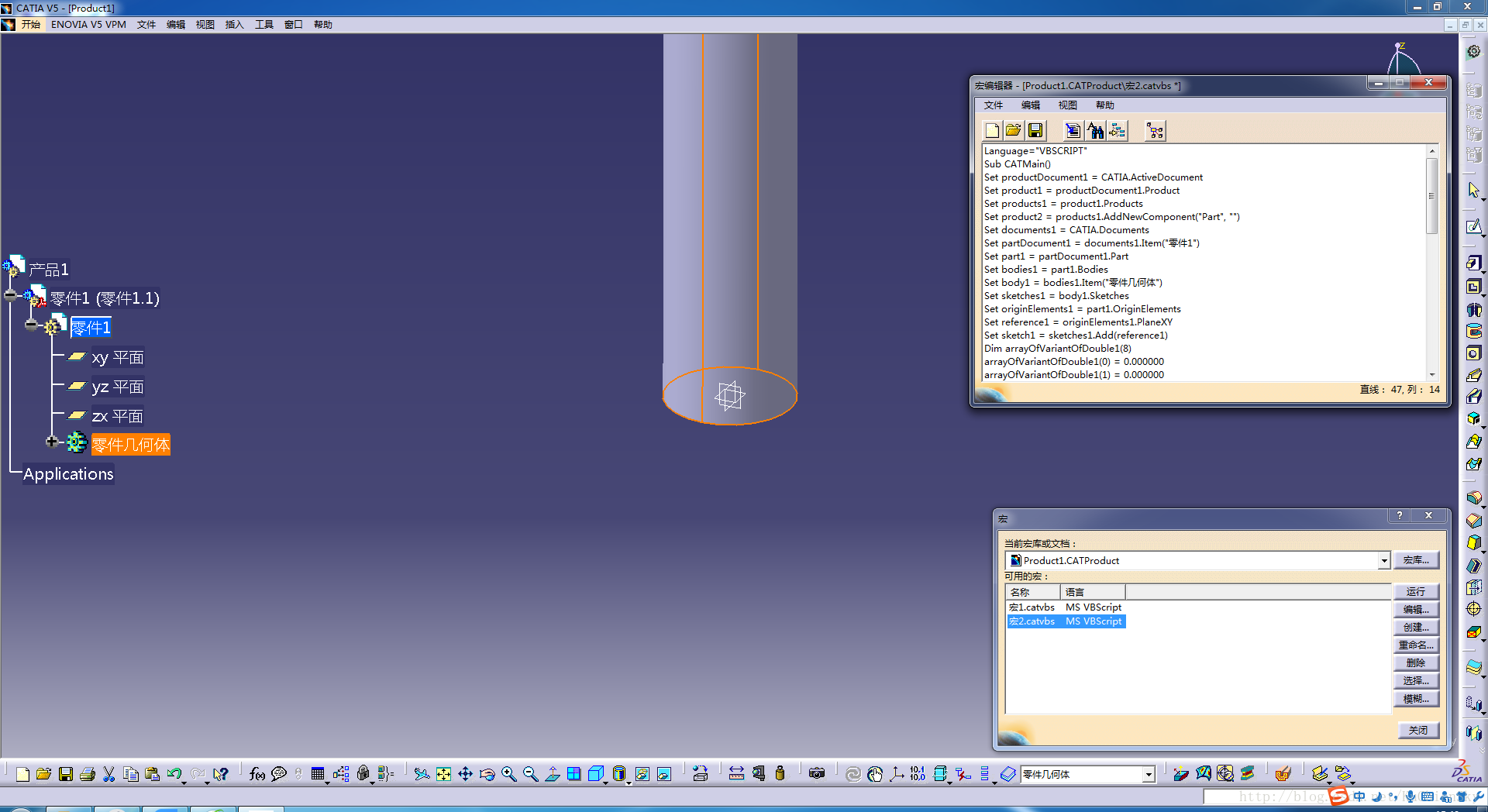
方式二:通过启用CATIA的宏录制功能,可以获得所有操作的VBScript代码,我们可以参考该代码进行CSharp代码的开发。下图通过CATIA录制了一个绘制圆柱的过程,右侧窗口内显示的即为生成的VBScript代码。
免责声明:本文系网络转载或改编,未找到原创作者,版权归原作者所有。如涉及版权,请联系删
 技术文档
技术文档
 推荐好文
推荐好文





 155-2731-8020




